مُنشئ الفروض والامتحانات – أداة احترافية لإعداد الاختبارات باستخدام LaTeX
أحدث إصدار: 2.0.3 · 2026-10-19
مُنشئ الفروض والامتحانات تطبيق مكتبي صُمّم خصيصاً لمساعدة المدرّسين على إعداد فروض وامتحانات احترافية في الرياضيات والعلوم باستخدام LaTeX. تجمع واجهته الواضحة بين أدوات متقدمة تنظّم مختلف مراحل العمل، من كتابة التمارين واختيارها إلى إخراج الامتحان النهائي بصيغة PDF.
لمن صُمّم هذا البرنامج؟
صُمّم البرنامج لمساعدة:
- مدرّسي الرياضيات في السلكين الإعدادي والثانوي
- مدرّسي المواد العلمية على إعداد فروض منظمة
- المدرّسين الراغبين في الحصول على وثائق احترافية دون التعامل يدوياً مع تعقيدات LaTeX
- المدرّسين الذين يعملون باللغتين الفرنسية أو العربية
لماذا لا نكتب ملفات LaTeX مباشرة؟
- لا حاجة إلى تحرير ملفات
.texطويلة وإدارتها يدوياً - تجنّب تكرار الشيفرات التمهيدية وأخطاء الترقيم
- معاينة سريعة للنتيجة دون إعادة الترجمة يدوياً في كل مرة
- تنسيق العربية من اليمين إلى اليسار بسهولة
- مكتبات تمارين قابلة لإعادة الاستخدام
أبرز المزايا
إدارة ذكية للتمارين
- إنشاء التمارين وتنظيمها مع ترقيم تلقائي
- اختيار تمارين محددة، وتغيير ترتيبها، أو إنشاء مجموعات فرعية
- معالجة مجموعة من التمارين دفعة واحدة
- إضافة عناوين مستقلة للأقسام وملاحظات توضيحية
قوالب احترافية
- تخصيص الترويسات والأنماط
- تنسيق الصفحة في عمودين على غرار الصحف
- طباعة صفحتين في ورقة واحدة
- دعم اتجاه الصفحة الأفقي
دعم تعدد اللغات
- دعم كامل للغتين الفرنسية والعربية، بما في ذلك اتجاه الكتابة من اليمين إلى اليسار
- التعرّف التلقائي على اللغة
- ضبط تنسيق النص العربي من اليمين إلى اليسار
- إضافة رسائل مخصّصة أسفل الصفحة باللغة العربية
تسريع سير العمل
- وضع التعديل السريع مع تحديث ملف PDF تلقائياً
- ترجمة ملفات LaTeX تلقائياً
- معاينة ملف PDF فور تحديثه
- ترجمة عدة ملفات دفعة واحدة مع تنظيف الملفات الناتجة
إعدادات متقدمة
- تخصيص المقدمة البرمجية لـ LaTeX لكل امتحان
- ضبط هوامش الصفحات
- استيراد التمارين من ملفات LaTeX الموجودة
- إعدادات تعتمد على JSON
خيارات تنسيق الصفحة
- تكرار الأقسام عند إعداد امتحانات بصفحتين
- ضبط المسافة الفاصلة بين الأعمدة
- تخصيص الترويسة
- تغيير النمط المرئي
تعرّف على واجهة البرنامج
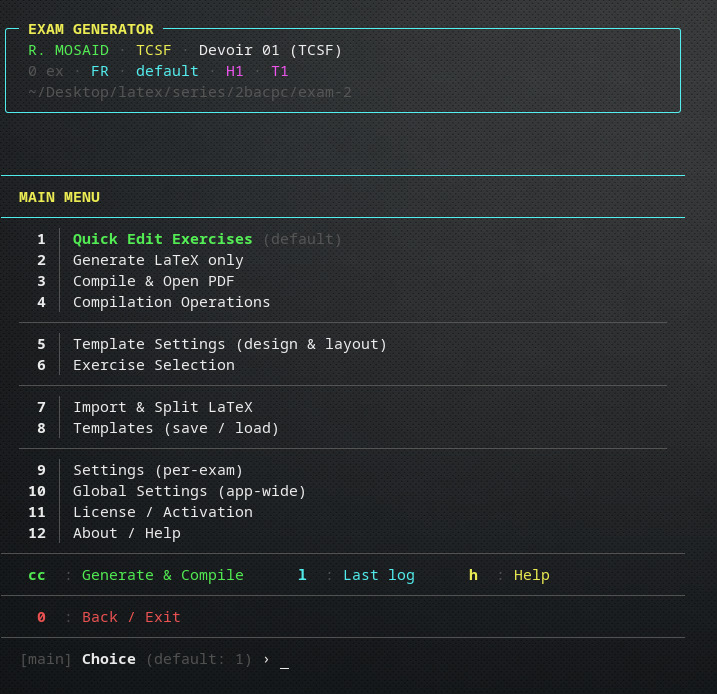
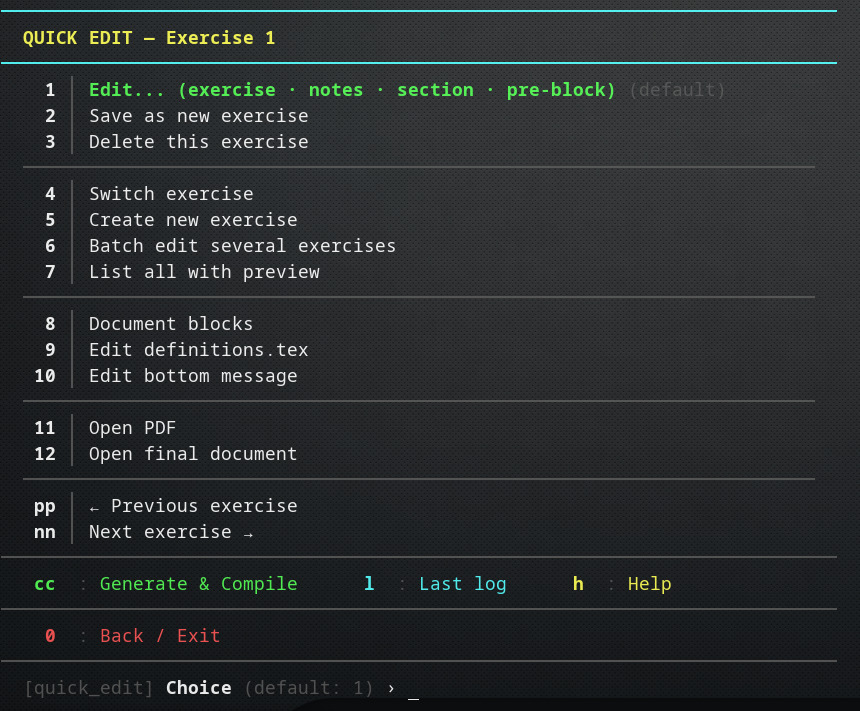
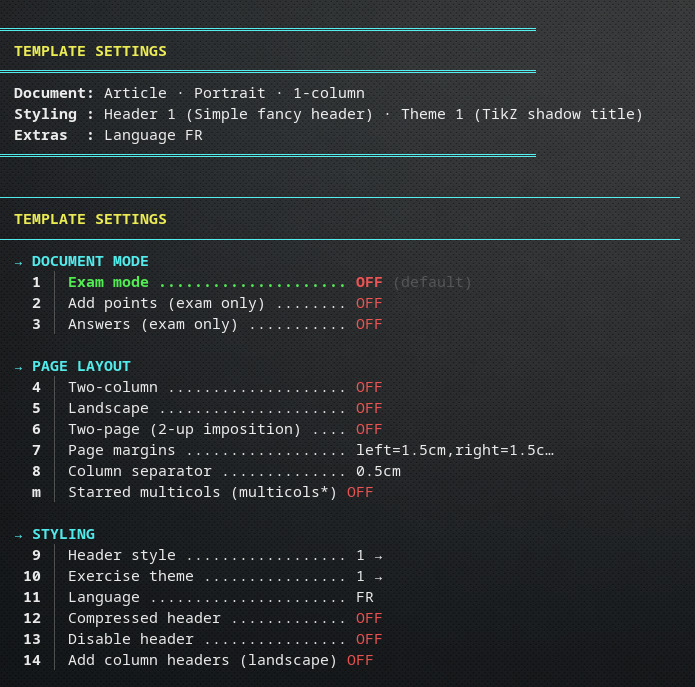
التقنيات المستخدمة
يعتمد البرنامج على تقنيات حديثة لضمان الاستقرار والأداء الجيد:
شروحات بالفيديو
تنبيه: أُنجزت هذه الشروحات باستخدام إصدار سابق من البرنامج، لكن خطوات العمل الأساسية ما تزال متقاربة، ويمكن الاستفادة منها لتعلّم استخدام الإصدار الحالي.
-
Getting Started with Exam GeneratorInstallation, first launch, creating your first exam, and understanding the interface.
-
Advanced Exercise ManagementSelecting, reordering, grouping exercises, and batch operations.
-
Advanced Exercise EditingExercise blocks and notes.
-
Layout & Template CustomizationChanging headers.
-
Layout & Template CustomizationChanging exercise themes.
-
قريباًLayout & Template Customization (Advanced)Two-column layouts, two-page printing, themes, and margins.
هل أنت مستعد للبدء؟
حمّل البرنامج وابدأ في إعداد فروضك وامتحاناتك.
متطلبات التشغيل: يعمل البرنامج على Windows 10 وWindows 11. الملف التنفيذي نسخة مستقلة لا تحتاج إلى تثبيت؛ نزّله وشغّله مباشرة. يلزم تثبيت أحد توزيعات LaTeX، مثل MiKTeX أو TeX Live أو MacTeX، بشكل منفصل لإنشاء ملفات PDF، ويُنصح باستخدام xelatex عند إعداد الوثائق العربية. على Linux وmacOS، يمكن تشغيل البرنامج من المصدر باستخدام Python 3.8 أو أحدث.
الدعم ومجتمع المستخدمين
انضم إلى مجتمع المستخدمين لطلب المساعدة، واقتراح مزايا جديدة، وتبادل الخبرات:
سجل التغييرات
عرض سجل الإصدارات كاملاً
سجل إصدارات مُنشئ الفروض والامتحانات، مرتّباً من الأحدث إلى الأقدم.
# Changelog
2.0.3 — 2026-10-19
Small polish release.
•Setup prompts are now colorized — the "where should the new exam be created?" screen and the class picker use the app's palette: green choices, red cancel, muted directory paths, and the standard › prompt.
•Cleanup — removed duplicate imports in core/license_manager.py left over from 2.0.2.
2.0.2 — 2026-10-19
•Minor bug fix: version number showing correctly now
2.0.1 — 2026-10-19
Maintenance release. Fixes editor-safety issues, several correctness bugs, and packaging problems discovered after 2.0.0 shipped. No migration needed — existing exam directories, definitions, custom headers, templates, and activated licenses continue to work unchanged.
Bug fixes
•Editor safety. With a detached editor (xdg-open, macOS open, start, or use_system_default_editor), the app could read a file back *before* you saved it — silently discarding edits to the bottom message, page margins, and column separator. Those flows now require a blocking editor. Every edit that opens the editor shows "save your changes, then compile with cc" instead of auto-compiling the old content. Opening a file that is already open in an external editor now asks before spawning a second instance.
•use_system_default_editor now actually hands the file to the OS default application. Previously it launched the first auto-detected editor, ignoring the setting.
•Quick Edit → "Create definitions.tex" / "Open final document" now create or generate the file when you answer *yes* to the prompt. Both used to return silently.
•Quick Edit menu shows options 3 (Delete this exercise) and 12 (Open final document) as their own rows. They were hidden inside a combined description line.
•Custom headers now work in article class. use_custom_head was accepted but ignored there.
•Switching back to the default layout now resets overrides applied by the national layout (is_exam, columns, landscape, margins).
•"National exam style" in Template Settings now actually switches active_layout. It was toggling a dead key.
•repeat_head now works on single-column exams. It previously had an effect only in two-column mode.
•Selecting a header without a compressed variant now clears use_compressed_header. The dashboard no longer claims "Compressed" when there is nothing to compress.
•Template Settings and Templates now use separate Enter-key defaults. They were sharing one setting.
•Two-page imposition now works on Windows paths containing spaces or backslashes.
•Licensing recovery. "Remove stored license key" is now offered whenever a license.key file exists — including when it fails validation (corrupted, tampered, or bound to a different machine). Previously users were stuck in that state.
•Frozen build. i18n files load from the correct location in the packaged executable; *.bak-* files are no longer bundled; the build fails fast when a required asset is missing.
•Small fixes. Theme 12 French title text corrected from "Exercise" to "Exercice". English help on trial expiry now points to Main menu → 11 (was 14).
Improvements
•Duplicate-editor guard. Opening a file that is already open in a detached editor now asks "Open it again anyway? [n]". Say y only if you closed the previous editor. No process is ever killed.
•Setup from template no longer skips the directory markers (.classtype, .createdat, incomplete) or the logo copy. The template's settings.json is preserved as-is.
Compatibility
•Existing exam directories, definitions.tex, blocks/*.tex, custom headers, and saved templates: fully compatible, no migration.
•Existing license activations: unchanged. No re-issue required for 2.0.1.
•Existing global_settings.json files: unknown keys are ignored on load and dropped on the next save.
System requirements
•Python 3.8+ (if running from source).
•LaTeX distribution: MiKTeX, TeX Live, or MacTeX — xelatex strongly preferred for Arabic support.
2.0.0 — 2026-10-19
Complete rewrite of Exam Generator. All existing exam directories, definitions, custom headers, and templates continue to work unchanged — no migration needed.
Highlights
•New interface — grouped menus, in-place action feedback, and universal shortcuts (cc compile, l log, h help, 0 back) on every screen.
•Multi-language UI — French, English, and Arabic (full RTL), switchable from Global Settings. Missing translations fall back silently to English.
•Integrated help system — press h on any menu for context-specific help, plus a full manual under *About → Help* (feature tour, workflows, file layout, troubleshooting).
•Per-machine perpetual licensing — one-time activation, permanently bound to the machine that activates. Trial (20 runs) still available.
•Zero-configuration upgrades — settings schemas migrate forward automatically; new fields take their defaults without user intervention.
New features
•Quick Edit
•Dedicated edit sub-menu (exercise content / notes / section / pre-block) that stays open across multiple files.
•Auto-compile only when the file content actually changed — opening and closing the editor without saving no longer triggers a recompile.
•Batch edit multiple exercises in sequence.
•Save-as backs up existing target files (.bak-) instead of overwriting.
•Delete moves files to exercises/deleted/ — nothing is lost.
•List-with-preview shows first line and N/S/P markers per exercise.
•nn / pp navigate next/previous exercise without leaving the loop.
•Layout & templates
•Two-column layouts with configurable separator width.
•Starred multicols* toggle (unbalanced columns, top-to-bottom flow). Automatically rewrites custom start/end blocks to match.
•Two-page imposition (2 A5 on 1 A4) using pdfpages.
•Landscape mode with per-column headers for exam class.
•Repeat section with independent exercise selection and optional header.
•Document blocks (top, bottom, two-column start/middle/end) fully editable, with header auto-injection into custom wrappers.
•Headers
•9 header styles plus custom header per language.
•Compressed variants for two-column layouts.
•Automatic \headheight measurement eliminates fancyhdr warnings.
•Header can be disabled entirely for article class.
•Exercise management
•Import from monolithic .tex files. Robust header detection supports \section*, \subsection*, \paragraph*, \textbf{…}, and plain Exercice N lines.
•Preamble (\begin{document}…\end{document} boundaries) stripped from imports — never leaks into exercise bodies.
•Intro content before the first exercise preserved as pre-1.tex.
•Selection supports all, [1,3,5], or [3,1,3] (duplicates allowed).
•Preview shows the exact sequential renumbering that will appear in the PDF.
•Templates
•Full exam snapshots: settings, definitions, custom headers, exercises, and images.
•Save/load/manage with per-template metadata (name, description, class, creation date).
•Template picker offered during new-exam setup.
•Editor integration
•Auto-detect from preferred_editor → nvim/vim/nano/code → system default.
•Notepad++ now preferred on Windows, with -multiInst -nosession -waitForClose flags so auto-compile after edit works reliably.
•VS Code (--wait) and Sublime Text (--wait) supported out of the box.
•One-time Windows hint suggests installing Notepad++ if only Notepad is available, with a direct download link.
•Licensing
•Machine ID shown on the splash screen and on the trial-expired prompt — send it to the seller, receive a signed license string by email.
•License string pasted once; activation window of a few hours.
•After activation, perpetual on that machine. Copying license.key to another machine does not work.
•Deactivate (remove license) available from the License menu.
•Global settings
•Language (fr / en / ar), splash screen, menu timeout.
•Per-menu default choice (Enter-key target).
•Compilation passes, auto-open PDF, intermediate file cleanup.
•Logging mode: silent, heavy, low, production.
•Base series directory.
•Auto-created on first launch with all defaults.
•Exam setup
•Directory layout nests under the class slug (series/tcsf/serie-15, series/2bacpc/serie-3).
•Setup correctly detects that the current directory is the series root and offers a single choice instead of two identical ones.
Improvements
•Compilation
•Persistent logs/compilation.log (append mode) with per-run headers, per-pass stdout/stderr, and a one-line SUCCESS/FAILED marker.
•LaTeX .log and .blg files preserved after successful compilation — useful for post-mortem inspection.
•Only .aux, .out, .toc, .nav, .snm, .synctex.gz, .fls, .fdb_latexmk are cleaned (never .log, .blg, .bbl).
•Two-page imposition uses a throwaway wrapper — never modifies the source PDF.
•Bottom message
•Pre-filled template on first edit, with \RL{\arabicfont … } wrapper already in place — pasting a Qur'an verse or a blessing is one step.
•Bidi + Amiri preamble auto-added only when the content contains Arabic or explicit \RL / \arabicfont commands.
•Optional tcolorbox wrapper.
•Optional in-column placement (inside column 2, above the page edge).
•i18n
•Missing keys fall back per-key to English — partial translations ship safely.
•Menu-specific help and About-section help live in separate files (i18n/help/menus_ vs i18n/help/) so translators and contributors can work independently.
•Unknown {placeholders} in translated strings treated as literal text — raw LaTeX like \begin{document} in a UI string no longer crashes format().
•Configuration
•Atomic saves for per-exam and global config (.tmp + os.replace).
•Schema version tracked; defaults migrate forward on every load.
•Preserves any extra keys the user added to settings.json.
•Per-exam definitions.tex auto-created from template on first compile.
•Logging
•Deferred file handler: buffered in memory until the exam directory is known, then flushed — every setup-time log line lands in the exam's own log file.
•Four modes: heavy (dev), low (dev-quiet), production (warnings), silent (clean TUI, warnings still written to file).
•Full logging (buffer + file + console) happens in one place, no more scattered print() calls.
•Cross-platform
•ASCII glyph fallback on terminals that misrender box-drawing characters (Windows Console, Wine).
•All Windows subprocess calls use argument lists, no shell=True.
•Editor detection and default arguments per platform.
Bug fixes
•Header no longer spans the full landscape width in exam + landscape + two-column mode — it correctly sits inside column 1.
•Custom blocks/two-column-start.tex no longer suppresses header injection; add_column_headers is honoured regardless.
•Duplicate \SolutionEmphasis lines in exam settings collapsed into one.
•\vspace*{-1cm} at the top of an exercise no longer causes column 2 to stay empty (theme paragraph boundaries fixed).
•_DEFAULT_TEMPLATES["pre"] (\vspace*{-0.5cm}) no longer treated as a format placeholder — saves correctly on first edit.
•\printexo submenu no longer resets to the parent Quick Edit menu after each edit.
•"Compile to see changes?" actually pauses to show compilation output.
•Editor arguments from Global Settings are respected; previous version ignored preferred_editor, editor_args, and auto-detect.
•show_error("...{msg}", msg=...) no longer collides with the parameter named msg in the display manager.
•Exercise Save as new on an existing target renames instead of silently overwriting.
•Arabic bottom message no longer bleeds RTL into the rest of the document.
•Menu default choice (green highlight, footer text, Enter-key behaviour) now resolved from one source — no more mismatch between the highlighted row and the footer text.
•Trailing \columnbreak inside an exercise body extracted and re-emitted after \printexo — fires in vertical mode, breaks to column 2 instead of page 2.
Removed / deprecated
•Old-style defaults.json handling — replaced by the schema-versioned GlobalSettings dataclass.
•Menu-level retry loops with fixed timeouts — replaced by per-menu defaults and confirmation prompts.
•Legacy trial counter locations still read (for migration), but new increments write to the current locations only.
•Old license.key files without a signed license field are ignored; existing customers receive a new signed license string on request.
Compatibility
•Existing exam directories: fully compatible, no migration required.
•Existing definitions.tex, blocks/*.tex, custom headers: preserved as-is.
•Existing templates saved under ~/.config/examgenerator/templates/: fully compatible.
•Old license keys issued for V1 must be re-issued for V2 — contact the seller to receive a signed license string for your machine ID.
System requirements
•Python 3.8+ (if running from source).
•LaTeX distribution: MiKTeX, TeX Live, or MacTeX — xelatex strongly preferred for Arabic support.
•~4 MB additional disk space (bundled fonts and templates).
1.5.6 — 2026-03-23
•Bug Fixes
1.5.5 — 2026-02-19
•Bug Fixes
1.5.4 — 2026-01-26
•added default exam directory handling
•added menu option: Save current exercise as..., in quick edit specific exercise mode
•Handle reinitialization properly when changing directories
1.5.0
•Initial release
عدد الزيارات: 836
📄 هل تحتاج تنسيقًا بـ LaTeX؟
أرسل لي واجبك أو امتحانك أو تمارينك وسأحوّلها إلى ملف PDF احترافي.
اعرف المزيد ←أحدث الدروس
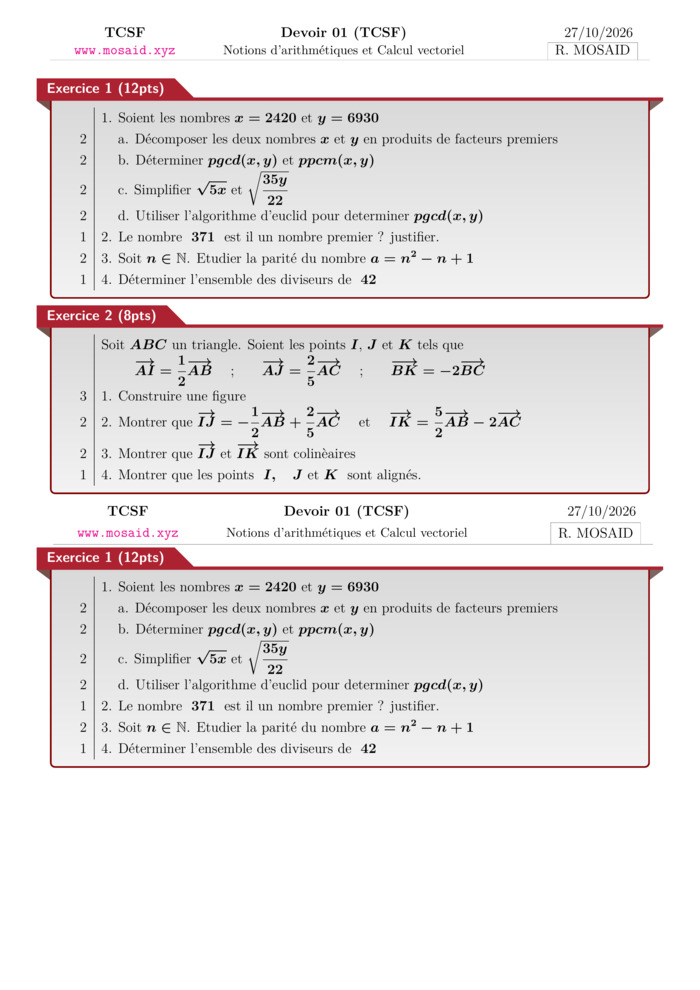
Solution — Devoir 01, S01, artihmétiques et calcul vectoriel , 2026 A
02 Nov 2026 • 1 views
حل • Maths • Tronc Commun Sciences
Devoir 01, S01, artihmétiques et calcul vectoriel , 2026 A
02 Nov 2026 • 1 views
امتحان • Maths • Tronc Commun Sciences
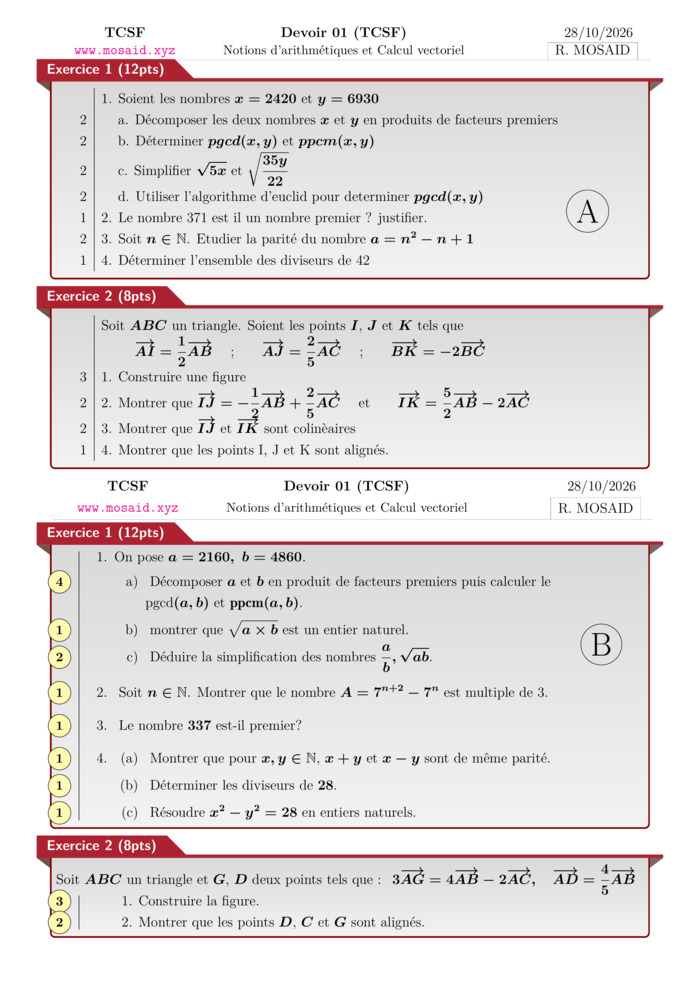
Solution — Devoir 01, S01 en arithmétiques et calcul vectoriel, 2026-2027 - ab
02 Nov 2026 • 1 views
حل • Maths • Tronc Commun Sciences
Devoir 01, S01 en arithmétiques et calcul vectoriel, 2026-2027 - ab
02 Nov 2026 • 1 views
امتحان • Maths • Tronc Commun Sciences
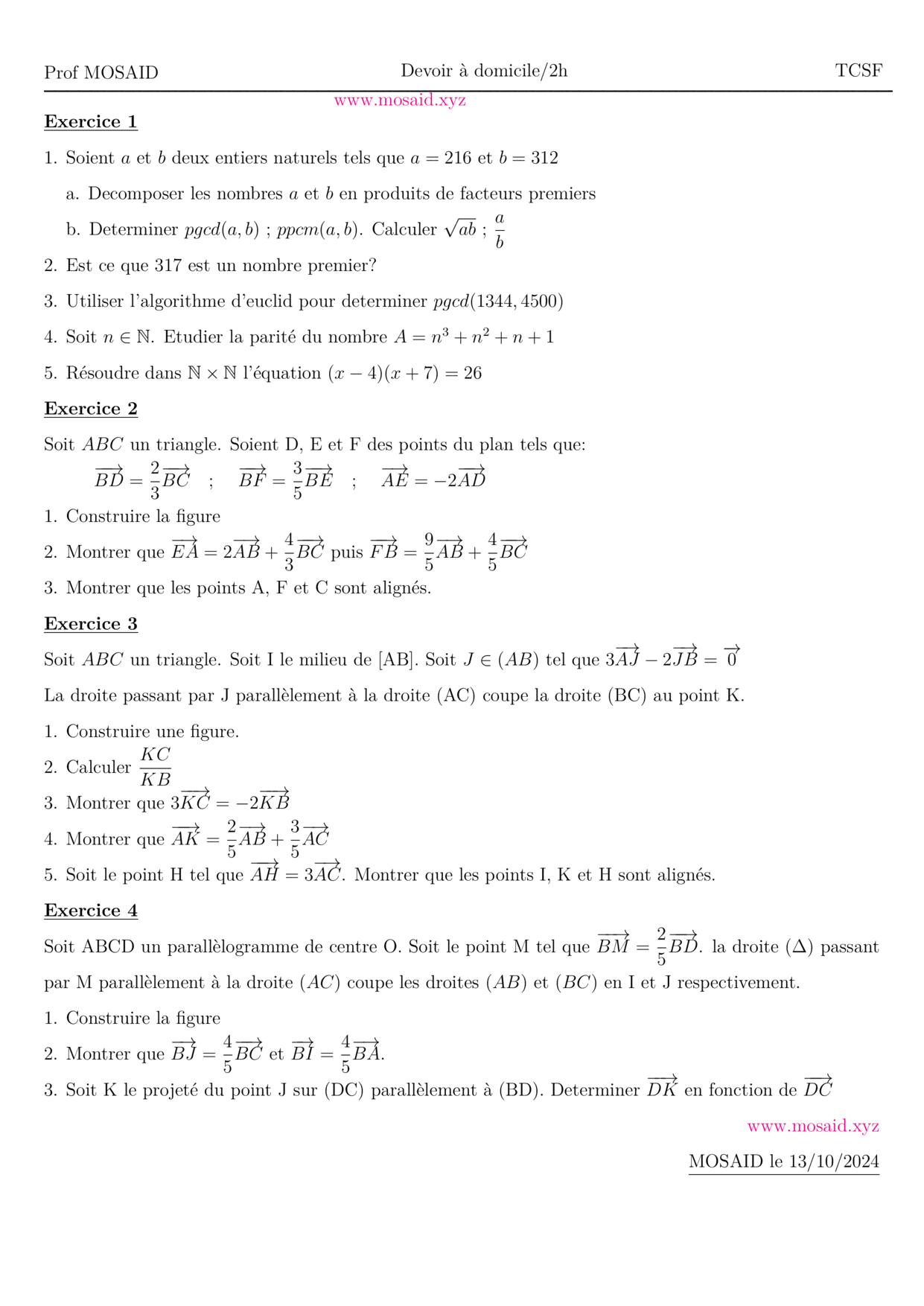
Solution — DM 1 - Arithmetiques, Calcul vectoriel et projection
27 Oct 2026 • 1 views
حل • Maths • Tronc Commun Sciences
BACCALAURÉAT INTERNATIONAL SCIENCES MATHÉMATIQUES, OPTION FRANÇAIS
28 Sep 2026 • 149 views
درس • Maths • 2 Bac Science Maths
الأكثر مشاهدة
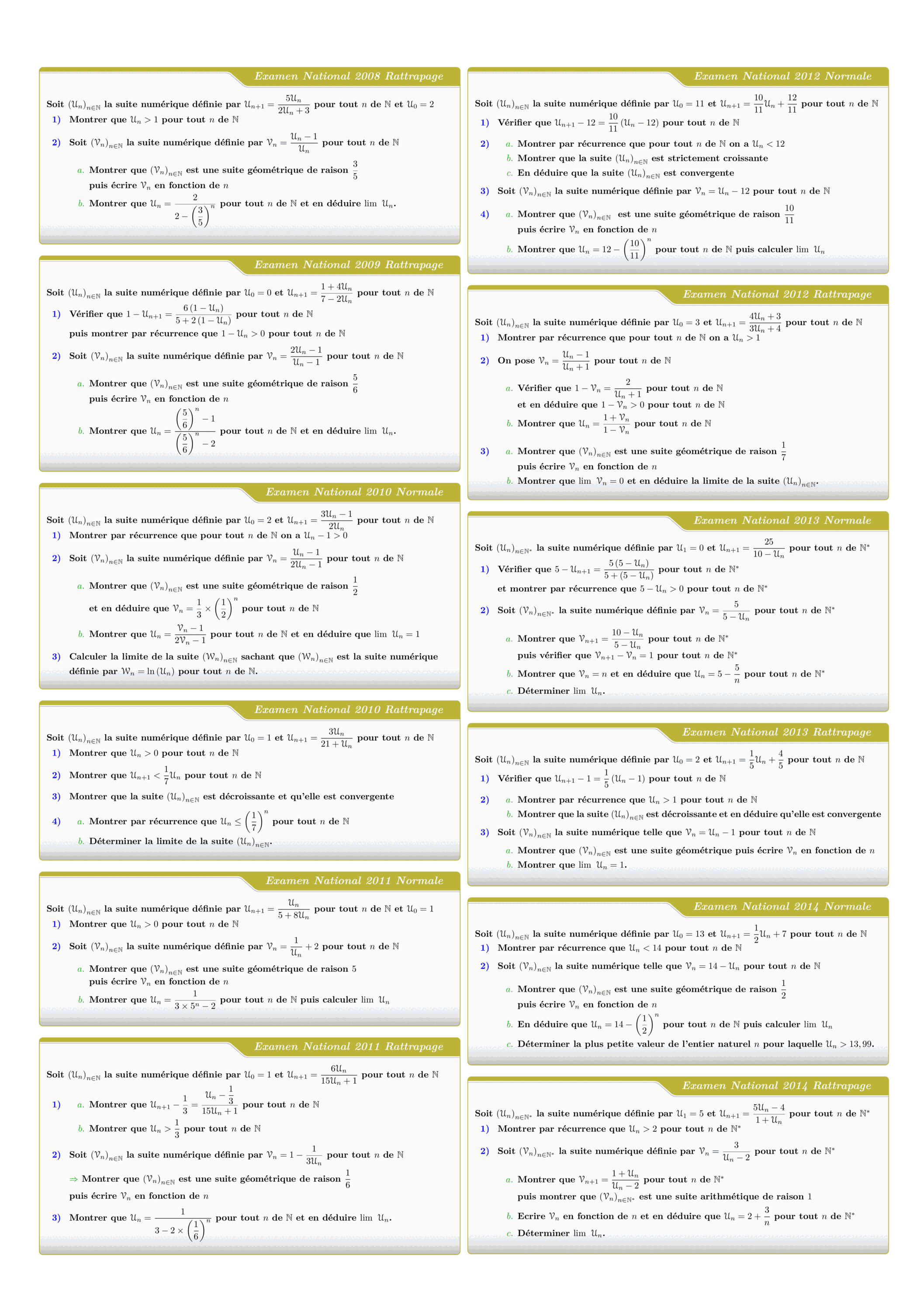
Tous les sujets des suites numériques des examens nationaux 2008 - 2022
views: 3.15K
امتحان • Maths • 2 Bac Science
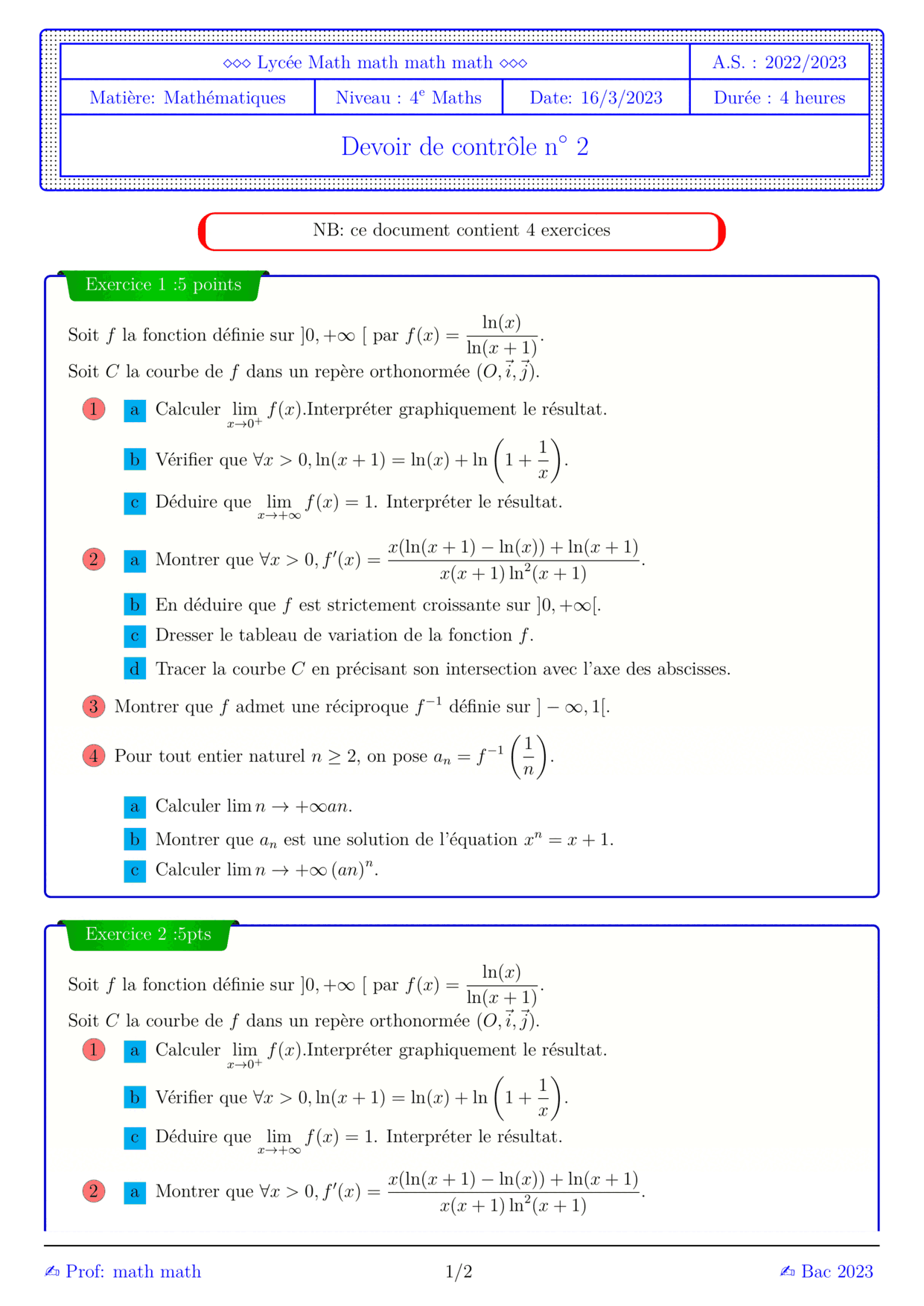

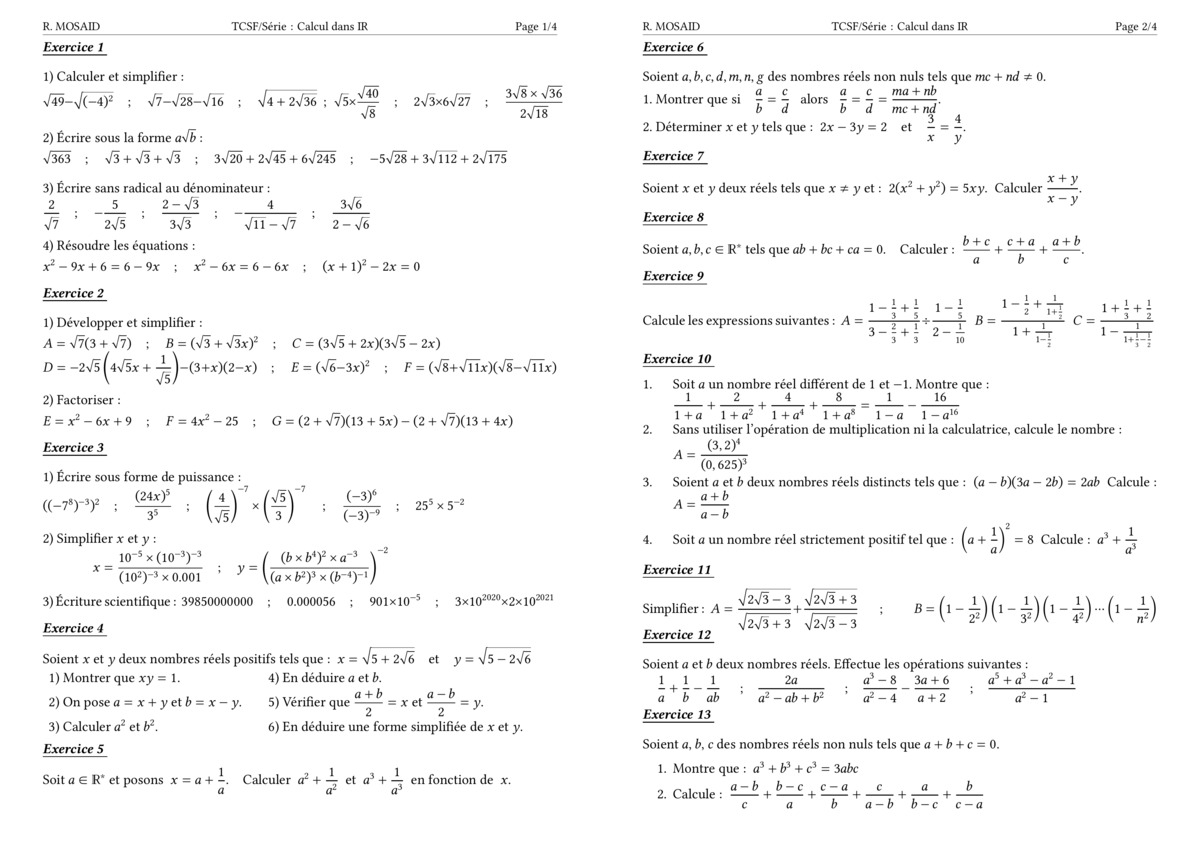
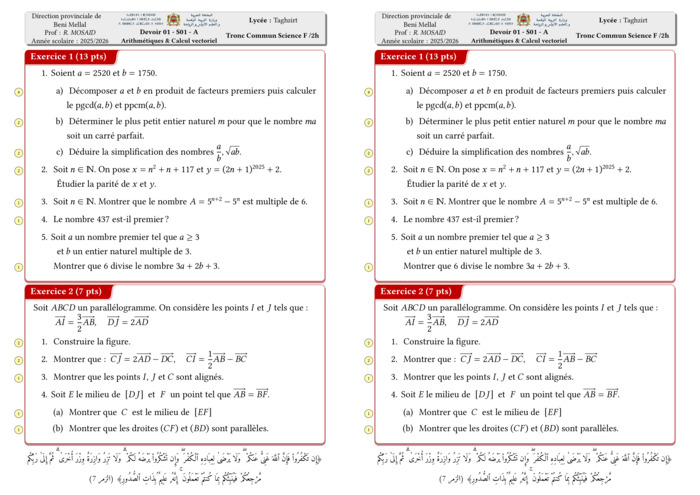
Control 01 S01 En arithmétiques et Calcul vectoriel - A 2025-2026
views: 2.15K
امتحان • Maths • Tronc Commun Sciences
DM 1 - Arithmetiques, Calcul vectoriel et projection
views: 1.99K
امتحان • Maths • Tronc Commun Sciences
MATHEMATIQUES Examens nationaux 2003-2021 2 Bac.Sciences expérimentales
views: 1.98K
امتحان • Maths • 2 Bac Science
Recent Articles


Most Viewed Articles




The Ultimate Vim Setup (My 2024 vimrc ) : Essential Commands, Configurations, and Plugin Tips
Views: 1.49K
12 Apr 2024
Complete Tutorial: Creating Categories and Subcategories Using Pages in Pelican
Views: 1.14K
24 Jun 2025
اترك تعليقًا