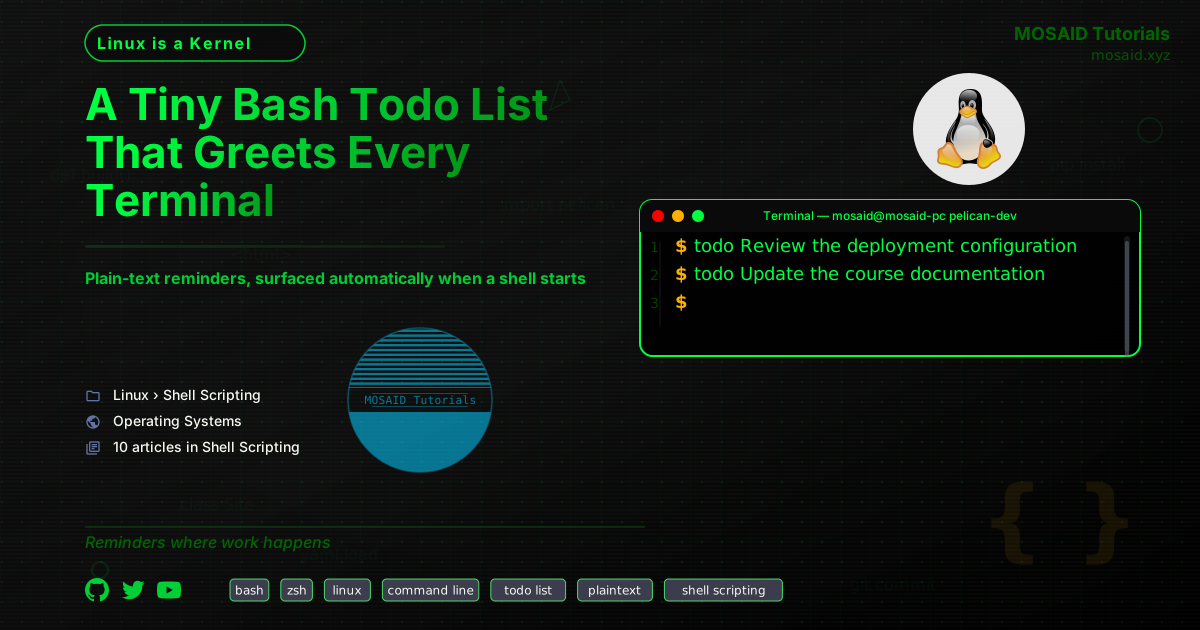
A Tiny Bash Todo List That Greets Every Terminal
I keep a small reminder list in a plain-text file and display it whenever I open a terminal. There is no daemon, database, desktop notification service or separate application to launch. A short Bash script named todo is enough: it appends reminders, opens the list in Vim when I want to edit it, and prints the current contents when called without arguments.
The important detail is where the command runs. I invoke todo from my .zshrc, so a new interactive shell becomes the reminder surface. The list appears in the environment where I already work, rather than in another application I have to remember to check.
The complete script
This is the entire implementation:
#!/bin/env bash
file="${HOME}/.todo"
if [[ -n $1 ]] ; then
    if [[ $1 == "e" ]]
      then vim "$file"
      else echo "$@" >> "$file"
    fi
fi
cc=$( cat "$file" 2>/dev/null |  wc -l 2>/dev/null )
if (( $cc >= 1)) ; then
    cat "$file" 2>/dev/null
fi
The script has three operations, selected entirely by its first argument:
• No argument: display the reminder list, provided it contains at least one newline-terminated line.
• e: open ~/.todo in Vim for direct editing.
• Anything else: append all supplied arguments as one reminder line. Quotation marks are not required for ordinary reminders: each word is passed as an argument, and echo "$@" writes them together with spaces between them.
For example, I can add a reminder from any working directory. The words do not need to be wrapped in quotes:
todo Review the deployment configuration
todo Update the course documentation
Calling todo without arguments displays the list. Calling todo e opens it in the editor, where I can revise, reorder or remove entries using the editing workflow I already know.
Why the line-count check matters
The final four lines are not just an alternative way to print a file. They are what make the command suitable for automatic execution from .zshrc:
cc=$( cat "$file" 2>/dev/null |  wc -l 2>/dev/null )
if (( $cc >= 1)) ; then
    cat "$file" 2>/dev/null
fi
If the file does not exist, or exists but is empty, the command produces no visible output. That matters at shell startup: an empty reminder list should not add a blank line or otherwise clutter every new terminal. Once there is at least one newline-terminated line, the contents are printed.
The check also reflects the script's storage convention. New reminders are appended with echo, which terminates each entry with a newline. The line count is therefore a simple test for whether there are reminders to show in the normal workflow. It is not a general test for every possible non-empty text file: a file containing characters but no newline is not counted by wc -l. That distinction is acceptable for a list populated through this script.
A plain-text file is the storage layer
The data lives in ~/.todo. There is no custom format to parse and no application-specific database to maintain. The file can be inspected with ordinary command-line tools, edited in Vim, copied as a backup or processed by another script. It is also easy for other parts of the system to contribute reminders: some of my cron jobs append directly to the same file.
For example, this cron entry adds a weekly reminder every Monday at 09:00:
# every Monday at 09:00
0 9 * * 1 echo "Run sudo pacman -Syu" >> /home/mosaid/.todo
This is a useful extension of the same design. The todo script is the interface I use interactively, but it is not the only way to write to the list. A scheduled job can append a line directly, and the next terminal session will display it alongside reminders I entered manually. The file becomes a tiny shared inbox for both human-entered and automatically generated reminders.
This is a useful property of keeping the data deliberately unstructured. The script does not need to understand task states, priorities, due dates or categories. It only needs to preserve lines and make them visible at the right moment. The human remains responsible for deciding what belongs on the list and when an item is finished.
Integrating it with zsh
Because the command is on my PATH, adding it to .zshrc is simply a matter of invoking it:
todo
Every new interactive zsh session then displays outstanding reminders. There is no need for a scheduled job or a background process. The shell itself provides the event that triggers the display: opening a terminal.
This integration is intentionally modest. It does not synchronize reminders between machines, send notifications while no terminal is open or track whether a task has been completed. It solves one narrow problem reliably: making a short list visible at the start of the work session.
Trade-offs and boundaries
A plain-text list is not a replacement for every task-management system. It has no reminder scheduling, shared ownership, automatic recurring tasks or structured search. If those capabilities become requirements, a more capable tool may be justified.
There are also small implementation details worth knowing. The script uses echo "$@", so all supplied arguments are appended as one line, with spaces between them. The special editor operation is selected when the first argument is e. The shebang shown above is the one in my script; on systems where Bash is installed in a different location, #!/usr/bin/env bash is the more portable spelling.
None of these boundaries undermine the purpose of the tool. They simply define its scope. It is a personal list, operated by one person, stored as text and surfaced by the shell.
The value of putting reminders where the work happens
The most useful interface for a reminder can be the one that appears automatically in a place you already visit. In my case, that place is the terminal. A file, a few Bash conditionals and one line in .zshrc are enough to turn it into a quiet reminder system.
I could add priorities, dates, colors, completion markers and a dedicated interface. But each feature would introduce another convention to maintain. For the simple job this script performs, the plain-text file is the feature: it is visible, editable, portable and easy to trust.
Recent Articles

A Conky Classroom Clock for Tracking Lesson Time
19 Nov 2026
A Tiny Bash Todo List That Greets Every Terminal
19 Nov 2026





Most Viewed Articles





The Ultimate Vim Setup (My 2024 vimrc ) : Essential Commands, Configurations, and Plugin Tips
Views: 1.49K
12 Apr 2024

Complete Tutorial: Creating Categories and Subcategories Using Pages in Pelican
Views: 1.15K
24 Jun 2025
Leave a comment