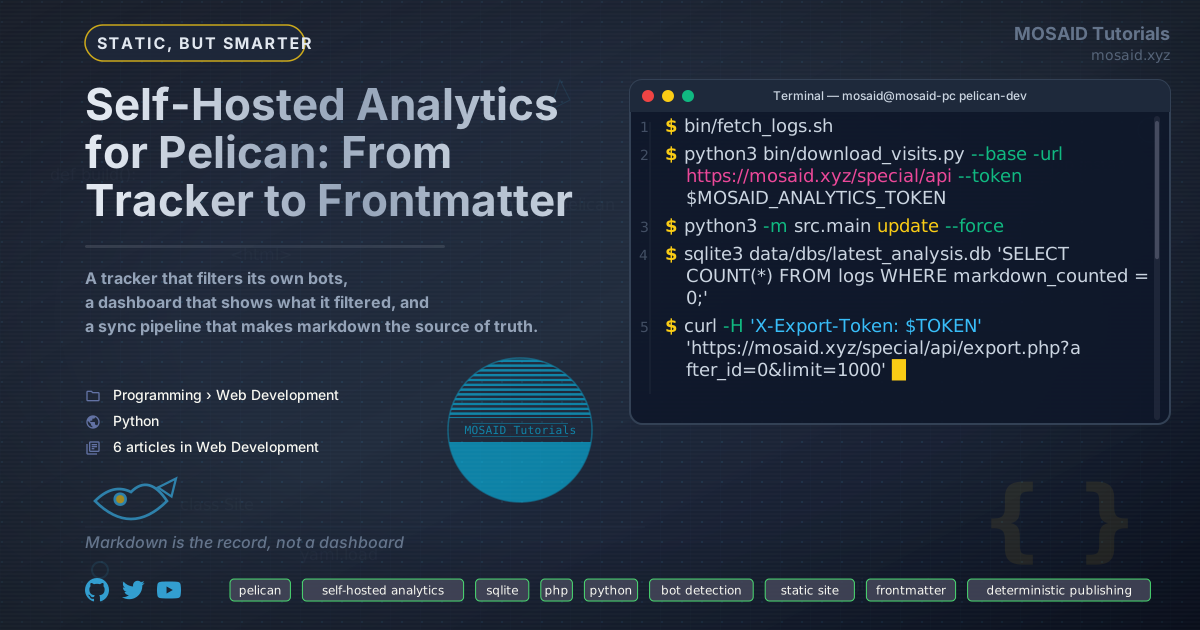
Self-Hosted Analytics for Pelican: From Tracker to Frontmatter
Most self-hosted analytics guides explain how to install a tracking application. I wanted something different: a small analytics system whose entire data path I could inspect, understand, and modify.
The result is a pipeline with two distinct responsibilities. A PHP endpoint records page visits and classifies suspicious traffic on the server. A Python application periodically retrieves those records, reconciles changes, and updates the Views metadata in Pelican's Markdown files. The next static-site build turns those values into ordinary HTML.
There is no external analytics provider, no client-side analytics framework, and no permanently running service. The server needs PHP and SQLite; the workstation needs Python and a local SQLite database. Each part has a narrow responsibility, and the interfaces between them are deliberately simple.
The interesting engineering problem is not recording a visit. That is straightforward. The difficult part is keeping several representations of the same information consistent when an event is initially accepted, later classified as a bot, or eventually reclassified as legitimate traffic.
This article is therefore a roadmap for building the system, not a repository dump. I will show the important structures and representative code, explain what belongs in each file, and identify the tests that should pass before proceeding. The intention is that you can adapt the architecture to your own site rather than copy an implementation whose assumptions may not match yours.
The central invariant is:
The visit count stored in a Markdown file should represent the events currently considered legitimate by the analytics database — not merely the events that happened to arrive after the last synchronization timestamp.
1. The architecture
The system has two independent pipelines.
The first runs continuously on the web server. Its job is to accept tracking requests, store events, classify suspicious traffic, and expose clean counts. It does not know anything about Pelican, Markdown files, or the workstation.
The second runs periodically on the workstation. It retrieves server events, imports them into the existing analytics database, reconciles classification changes, and updates Markdown frontmatter. It does not participate in page requests.
This separation is useful for more than organizational reasons. If the synchronization process is unavailable, the tracker continues recording visits. If the tracker is temporarily unavailable, the synchronization process can still process events already collected. Neither pipeline needs to block the other.
Data flow
                    WEB SERVER
                ┌──────────────────┐
 Browser ──────►│ PHP tracking API │
                └────────┬─────────┘
                         │
                         ▼
                ┌──────────────────┐
                │ Server SQLite DB │
                │                  │
                │ visits           │
                │ visit_changes    │
                │ visits_clean     │
                └────────┬─────────┘
                         │
                  Two export feeds
                         │
                         ▼
                   WORKSTATION
                ┌──────────────────┐
                │ Python downloader│
                └────────┬─────────┘
                         │
                         ▼
                ┌──────────────────┐
                │ Local spool DB   │
                └────────┬─────────┘
                         │
                         ▼
                ┌──────────────────┐
                │ Local importer   │
                └────────┬─────────┘
                         │
                         ▼
                ┌──────────────────┐
                │ Analytics DB     │
                │ logs             │
                │ markdown_counted │
                └────────┬─────────┘
                         │
                         ▼
                ┌──────────────────┐
                │ Markdown updater │
                └────────┬─────────┘
                         │
                         ▼
                 Pelican content/
                         │
                         ▼
                    Pelican build
                         │
                         ▼
                    Static HTML
The two export feeds are important. The main feed retrieves newly recorded events, while the corrections feed communicates changes to events that have already been retrieved. Without the second mechanism, a monotonically increasing event ID is insufficient: an event can be classified after its ID has already passed the export cursor.
Responsibilities at a glance
| Component | Location | Responsibility |
|---|---|---|
bootstrap.php | Server | Database connection, schema, migrations, shared helpers |
config.php | Server | Database path and export credentials |
track.php | Server | Validate and record tracking events |
count.php | Server | Return a clean count without recording a visit |
export.php | Server | Expose the main and corrections feeds |
visit-tracker.js | Pelican theme | Send page-view events and display the current count |
download_visits.py | Workstation | Retrieve both feeds into a local spool |
import_php.py | Workstation | Reconcile server events with the local analytics database |
db_handler.py | Workstation | Database schema and operations |
file_finder.py | Workstation | Resolve site URLs to Markdown files |
views_updater.py | Workstation | Apply pending count changes to frontmatter |
write_sync_marker.py | Workstation | Publish synchronization status |
The exact filenames are not important. The boundaries are. A different project may combine some of these modules or use another database, but it should preserve the separation between collection, export, import, and publishing.
2. Prerequisites and directory layout
The server side requires PHP 8.1 or later with PDO SQLite enabled. The workstation requires Python 3.10 or later. The downloader can use Python's standard library, so a small implementation does not need an HTTP framework or a collection of third-party packages.
The SQLite database must be stored outside the public web root. On a typical cPanel account, a private directory alongside public_html is a suitable location. The PHP process must have permission to create and write the database there.
A possible layout is:
# Web server

private/
└── analytics/
    └── visits.sqlite

public_html/
└── special/
    └── api/
        ├── .htaccess
        ├── bootstrap.php
        ├── config.php
        ├── track.php
        ├── count.php
        ├── export.php
        └── health.php

# Workstation

analytics/
├── bin/
│   ├── download_visits.py
│   └── fetch_logs.sh
├── data/
│   └── visits-spool.sqlite
└── src/
    ├── config.py
    ├── main.py
    ├── commands/
    │   ├── import_php.py
    │   └── write_sync_marker.py
    ├── parser/
    │   └── db_handler.py
    └── updater/
        ├── file_finder.py
        └── views_updater.py
The server's database and the workstation's spool are different databases with different purposes. The server database is the authoritative record of collected events and their current classification. The spool is a durable local copy of exported information, allowing downloads to resume without repeatedly requesting the entire history.
The local analytics database can remain part of an existing log-analysis application. There is no need to replace an established database or rewrite its reporting logic just to add a new source of events. A source column and a few tracking fields are enough to distinguish imported PHP events from existing records.
Before implementing anything else, verify the PHP extensions:
php -m | grep -E 'pdo_sqlite|mbstring'
Also verify that the server-side database directory is writable by the PHP process. Do not solve a permissions problem by placing the database under public_html.
3. Step one: design the server database
The database schema is the foundation of the whole system. It should distinguish between an event's identity, the time it happened, and its current classification.
A basic visits table needs at least:
| Column | Purpose |
|---|---|
id | Internal, monotonically increasing event identifier |
event_key | Unique identifier supplied by the browser |
url | Site-relative page path |
visited_at | Time the event was recorded |
referrer | Referrer information, if available |
lang | Browser language |
device | Approximate device category |
user_agent | User-agent string |
ip_hash | Privacy-conscious identifier used for aggregation |
is_bot | Current classification |
bot_reason | Explanation for the classification |
The event_key prevents duplicate inserts when the browser retries a request. The internal id is used for pagination and synchronization. They solve different problems and should not be treated as interchangeable.
A minimal table definition looks like this:
CREATE TABLE IF NOT EXISTS visits (
    id          INTEGER PRIMARY KEY AUTOINCREMENT,
    event_key   TEXT NOT NULL UNIQUE,
    url         TEXT NOT NULL,
    visited_at  INTEGER NOT NULL,
    referrer    TEXT,
    lang        TEXT,
    device      TEXT,
    user_agent  TEXT,
    ip_hash     TEXT,
    is_bot      INTEGER NOT NULL DEFAULT 0,
    bot_reason  TEXT
);

CREATE INDEX IF NOT EXISTS idx_visits_url
    ON visits(url);

CREATE INDEX IF NOT EXISTS idx_visits_time
    ON visits(visited_at);

CREATE INDEX IF NOT EXISTS idx_visits_bot
    ON visits(is_bot, visited_at);
The table should be created by a shared initialization module rather than independently by every endpoint. In this design, bootstrap.php owns the database connection, schema creation, migrations, and common response helpers.
It is also the right place to enable SQLite's write-ahead logging and configure a busy timeout:
$pdo = new PDO('sqlite:' . $database);

$pdo->setAttribute(PDO::ATTR_ERRMODE, PDO::ERRMODE_EXCEPTION);

$pdo->exec('PRAGMA journal_mode=WAL');
$pdo->exec('PRAGMA busy_timeout=10000');
For an existing database, do not assume that CREATE TABLE IF NOT EXISTS will add newly introduced columns. Use explicit, idempotent migrations based on PRAGMA table_info(visits). This lets the application evolve without requiring a manual database rebuild every time a field is added.
One filtering rule, shared by every consumer
Rather than repeating WHERE is_bot = 0 throughout the application, define a database view:
CREATE VIEW IF NOT EXISTS visits_clean AS
SELECT *
FROM visits
WHERE is_bot = 0;
The view provides a stable definition of clean traffic. The counter endpoint, dashboard queries, and any clean-event export should use the same rule.
The definition of a legitimate visit is centralized. If the classification policy changes later, downstream queries do not each need to be updated independently.
The raw table remains available for investigation. The view is the normal interface for reporting.
Verification
After the first request initializes the database, inspect its schema:
sqlite3 /path/to/visits.sqlite \
  "SELECT name FROM sqlite_master WHERE type='view';"
The expected result includes visits_clean.
4. Step two: implement the tracking endpoint
track.php is the entry point for browser events. Its responsibility should be deliberately narrow:
•Accept POST requests only.
•Validate the request body and page path.
•Check the request's origin and referrer where available.
•Validate the event identifier.
•Apply rate limiting.
•Insert the event idempotently.
•Run the initial bot-classification rules.
•Return the current clean count.
It should not generate Markdown, update Pelican metadata, or perform any workstation synchronization.
Event identity and idempotency
The browser should generate a UUID for an event. The server stores it in the unique event_key column. Repeated requests carrying the same key do not create additional rows.
The essential SQL operation is:
INSERT OR IGNORE INTO visits
    (event_key, url, visited_at, is_bot)
VALUES
    (:event_key, :url, :visited_at, 0);
The endpoint can determine whether the insert actually happened from the affected-row count.
This makes retries safer. A browser request can fail after reaching the server, and the client may not know whether the insert succeeded. Retrying with the same event key avoids counting the same event twice.
Validate paths, not arbitrary URLs
The browser should send a site-relative path such as:
/articles/example/
The server should reject empty paths, external URLs, and protocol-relative paths. This keeps the stored URL namespace predictable and avoids turning the tracking endpoint into a general-purpose URL collector.
The endpoint should also verify that the path corresponds to the page making the request. A same-origin check and a comparison with the request's referrer path are useful additional safeguards, although they should not be mistaken for cryptographic proof of a visitor's identity.
Rate limiting
A small SQLite table can maintain per-IP request counters. However, rate limiting must be atomic. A separate SELECT followed by an INSERT or UPDATE leaves a race in which concurrent requests can all observe a count below the limit.
Use a transaction or an atomic conditional update so that checking and consuming a rate-limit allowance are one logical operation. Test the behavior with concurrent requests rather than only sequential curl commands.
For privacy, avoid storing raw IP addresses when they are not needed. A keyed HMAC using a secret stored outside the web root is preferable to a plain, deterministic SHA-256 hash: common IP addresses can be guessed and hashed by anyone who obtains the database.
Initial bot classification
Bot detection should be treated as classification, not certainty. A practical first pass can combine two kinds of signals:
•User-agent tokens associated with automated clients.
•Request patterns that are unusual for ordinary browsing, such as a concentrated burst of requests across many paths.
Classification is stored as data. Do not simply discard suspicious events. Keeping the original event and changing its classification makes later investigation and correction possible.
For example, a classifier may update a row like this:
UPDATE visits
SET is_bot = 1,
    bot_reason = :reason
WHERE id = :event_id;
In the real implementation, this change must also be recorded in the corrections mechanism described later. A classification change is not just a reporting detail: it changes the contribution of that event to every downstream count.
Be conservative with burst rules. A burst of requests is not automatically a crawler, and referrer information is not a reliable dividing line between humans and bots. Use multiple signals, preserve enough information to investigate false positives, and make retroactive corrections possible.
Verification
Send a valid test request with a UUID:
EVENT_ID=$(python3 -c 'import uuid; print(uuid.uuid4())')

curl -s -X POST https://your-site.com/special/api/track.php \
  -H "Content-Type: application/json" \
  -H "Origin: https://your-site.com" \
  -H "Referer: https://your-site.com/test-page" \
  -d "{\"event_id\":\"$EVENT_ID\",\"url\":\"/test-page\"}"
The UUID matters. A URL-safe token generated by secrets.token_urlsafe() is not necessarily compatible with a server-side UUID validation expression. Use the same identifier format in the implementation and its tests.
Check that the event appears exactly once:
SELECT id, event_key, url, is_bot
FROM visits
ORDER BY id DESC
LIMIT 5;
Send the same request again. The row count should not increase.
5. Step three: expose a clean counter endpoint
The browser needs a way to display a count even when the visitor has opted out of being recorded. That is why the system has a separate read-only endpoint.
count.php accepts a page path and returns the number of clean events for that path. It does not insert anything.
The underlying query is intentionally simple:
SELECT COUNT(*)
FROM visits_clean
WHERE url = :url
  AND visited_at >= :since;
The since parameter makes the endpoint reusable for different counting windows. For lifetime counts, use a suitable baseline such as zero. For a recent-period count, supply the corresponding timestamp.
Validate both parameters and use prepared statements. Do not interpolate a URL directly into SQL.
This endpoint should be independent of the tracking endpoint. That separation allows the client to retrieve a count without creating an event and keeps the tracking endpoint focused on writes.
Verification
curl -s \
  'https://your-site.com/special/api/count.php?url=/test-page&since=0'
Compare the returned value with a direct query against visits_clean.
6. Step four: connect the browser to the API
The client-side script should be small. Its job is to send an event and update the count displayed in the page. It should not attempt to classify bots or maintain a second analytics database.
A useful implementation is a self-contained JavaScript IIFE stored in the Pelican theme, for example:
theme/static/js/visit-tracker.js
Its responsibilities are:
•Generate or retrieve an event UUID.
•Reuse that UUID for retries within the intended session.
•Determine the current page path.
•Collect limited metadata such as language and device category.
•Send a POST request to track.php.
•Update elements marked with data-view-counter.
•Respect a persistent opt-out setting.
•Fail silently so analytics never blocks page rendering.
The event key should be stable for the deduplication period. A session-storage entry keyed by the page path is one possible approach. If the same page is loaded again in the same tab session, the browser can reuse the key. The server will then avoid inserting a duplicate while still returning a fresh count.
A simplified request looks like this:
fetch('/special/api/track.php', {
    method: 'POST',
    headers: { 'Content-Type': 'application/json' },
    credentials: 'same-origin',
    keepalive: true,
    body: JSON.stringify({
        event_id: eventId,
        url: location.pathname,
        referrer: referrerHost(),
        lang: navigator.language || '',
        device: detectDevice()
    })
})
.then(response => response.json())
.then(data => {
    if (data.ok) {
        renderCount(data.visits_since);
    }
})
.catch(() => {
    // Analytics must never prevent the page from rendering.
});
This is the central interaction; the production script also needs to handle UUID fallback, storage errors, opt-out, and the initial count display.
Displaying the count in Pelican
The template only needs a data attribute:
<span class="views"
      data-view-counter
      data-base-views="{{ article.views|default(0) }}">
    {{ article.views|default(0) }}
</span>
The base value comes from the last static-site build. The JavaScript response supplies the current live count or delta, depending on the chosen display model.
Keep the distinction clear: a static page cannot update itself after deployment without a browser request. The frontmatter value is the published baseline; the client-side value is a temporary live presentation.
For an opt-out mechanism, the browser can store a preference in local storage and call count.php instead of track.php. The exact preference interface is a product decision. The important point is that opting out of collection should not require disabling the display of an already aggregated count.
Verification
Open a page with the browser's Network panel visible. Confirm that:
•The tracker sends the expected POST request.
•The request contains the current site-relative path.
•A valid event appears in SQLite.
•Repeating the request with the same event key does not create another row.
•The counter element updates after a successful response.
•An opted-out browser uses the read-only endpoint instead.
7. Step five: design the two-feed export
This is the most important synchronization decision in the system.
A conventional incremental export uses an increasing event ID:
SELECT *
FROM visits
WHERE id > :after_id
ORDER BY id
LIMIT :limit;
This works when events never change after insertion. But bot classification makes that assumption false.
Imagine an event with ID 120 is initially classified as legitimate. The workstation imports it and advances its cursor to 150. A later investigation identifies event 120 as a bot. If the export only retrieves IDs greater than 150, event 120 will never be seen again.
The local database and the Markdown count will continue to include an event that the server no longer considers legitimate.
The solution is to separate new events from changes to existing events.
Feed A: the main event feed
The main feed retrieves events that have not yet been exported. Its cursor advances through the raw event sequence, not merely through the clean rows.
That distinction matters. If the main feed reads only visits_clean and advances its cursor using the last returned clean event, a sequence of bot events may sit beyond the cursor. If one of those events is later reclassified, the corrections feed may not yet be allowed to inspect it.
The main feed should therefore examine raw rows in ID order, advance the cursor to the highest examined ID, and return the event information needed by the importer. The importer decides how to represent the current classification.
Conceptually:
SELECT id, url, visited_at, is_bot
FROM visits
WHERE id > :after_id
ORDER BY id
LIMIT :limit;
The cursor means highest examined event ID, not highest clean event ID.
Feed B: the corrections feed
The corrections feed communicates changes to events that have already passed through the main feed. It must include both directions of classification:
•An event changed from legitimate to bot.
•An event changed from bot to legitimate.
A query against visits_clean alone cannot do this, because the first kind of event disappears from that view. The corrections feed must expose the new classification state, including bot events.
A robust way to implement this is an append-only change log:
CREATE TABLE IF NOT EXISTS visit_changes (
    revision    INTEGER PRIMARY KEY AUTOINCREMENT,
    visit_id    INTEGER NOT NULL,
    is_bot      INTEGER NOT NULL,
    changed_at  INTEGER NOT NULL
);

CREATE INDEX IF NOT EXISTS idx_visit_changes_revision
    ON visit_changes(revision);
Whenever an event's classification changes, update visits and insert a corresponding row into visit_changes in the same transaction.
For example:
BEGIN;

UPDATE visits
SET is_bot = :is_bot,
    bot_reason = :reason
WHERE id = :visit_id;

INSERT INTO visit_changes (visit_id, is_bot, changed_at)
VALUES (:visit_id, :is_bot, :changed_at);

COMMIT;
In production, insert the change record only when the classification actually changes. A transaction ensures the current state and its change record cannot silently diverge.
The corrections feed is then paginated by the monotonically increasing revision, not by a timestamp. It returns the affected event ID and its new classification. Multiple changes in the same second cannot collide, because every change receives its own revision.
This is more reliable than using (modified_at, id) as a cursor. A timestamp has limited resolution and is not inherently a unique sequence of changes. A revision is.
Why two feeds are easier to reason about
The main feed answers:
Which events have I not examined yet?
The corrections feed answers:
Which previously examined events have changed since my last correction check?
These are different questions, so they deserve separate cursors.
The downloader stores both cursors in the local spool. It can safely repeat requests because event IDs and change revisions are stable. If a download fails halfway through a page, the local transaction should either commit both the received records and the new cursor or commit neither.
The export endpoint should also enforce authentication with a long random token, validate pagination limits, and return structured JSON. Do not expose the raw database file or an unauthenticated export endpoint.
Verification
Test the two feeds independently:
•Insert several events.
•Retrieve them through the main feed.
•Change one event from legitimate to bot.
•Confirm that the corrections feed reports that event and its new state.
•Change it back to legitimate.
•Confirm that the next correction revision reports the second change.
The important test is not simply whether a new event can be downloaded. It is whether an event can change after its original export and still reach the workstation.
8. Step six: build the local downloader and spool
The downloader is responsible for transport, pagination, and durable local storage. It should not update Markdown or make decisions about which events count.
Its main file can be:
bin/download_visits.py
The local spool needs two tables:
CREATE TABLE IF NOT EXISTS events (
    id             INTEGER PRIMARY KEY,
    url            TEXT NOT NULL,
    timestamp      INTEGER NOT NULL,
    timestamp_utc  TEXT NOT NULL,
    is_bot         INTEGER NOT NULL
);

CREATE TABLE IF NOT EXISTS state (
    key    TEXT PRIMARY KEY,
    value  TEXT NOT NULL
);
The state table stores at least:
last_event_id
last_change_revision
The downloader performs two loops:
Main-feed loop
•Read last_event_id.
•Request the next page.
•Insert or update the received events in the spool.
•Store the returned cursor in the same local transaction.
•Continue while the server reports more pages.
Corrections-feed loop
•Read last_change_revision.
•Request the next page of changes.
•Store the change records or update the affected event's current state.
•Advance the revision cursor in the same transaction.
•Continue while more pages remain.
Do not advance a cursor before the corresponding page has been committed locally. Otherwise a crash can permanently skip records.
The downloader should be idempotent: running it twice without new server data should not create duplicate local events or change the result.
A small helper can centralize HTTP requests:
def fetch_json(url, token):
    request = urllib.request.Request(
        url,
        headers={
            "Accept": "application/json",
            "X-Export-Token": token,
        },
    )

    with urllib.request.urlopen(request, timeout=45) as response:
        return json.loads(response.read().decode("utf-8"))
The production version should also handle HTTP errors, invalid JSON, timeouts, and unexpected response structures. Those errors should be visible to the operator; a failed request must not be mistaken for an empty feed.
Verification
Run the downloader twice. The first run should retrieve the available history. The second should retrieve no duplicate main events and no duplicate corrections.
Inspect the spool:
SELECT COUNT(*) FROM events;

SELECT key, value
FROM state
ORDER BY key;
Then make a classification change on the server and run the downloader again. Confirm that the local spool reflects the change.
9. Step seven: import and reconcile events
The spool is a transport layer. The local analytics database is where imported events become part of the existing reporting system.
This stage belongs in:
src/commands/import_php.py
The importer should normalize incoming paths, reject or skip unsupported file types, and insert events using their server-side IDs. A unique index on php_event_id prevents the same server event from being inserted twice.
For example, the local logs table can gain:
ALTER TABLE logs ADD COLUMN php_event_id INTEGER;
ALTER TABLE logs ADD COLUMN source TEXT DEFAULT 'apache';
ALTER TABLE logs ADD COLUMN markdown_counted INTEGER DEFAULT 1;

CREATE UNIQUE INDEX IF NOT EXISTS idx_logs_php_event
ON logs(php_event_id)
WHERE php_event_id IS NOT NULL;
For an existing database, check the current schema before adding columns. SQLite does not support ADD COLUMN IF NOT EXISTS in the same way as some other database engines, so use PRAGMA table_info(logs) and apply only missing migrations.
The source field distinguishes imported PHP events from existing log records. The php_event_id field connects a local row to its server event. The markdown_counted field tracks whether that event has already been incorporated into a Markdown file.
The four-state counting model
A simple Boolean is not enough to represent every transition if the system needs to undo a previously counted event.
A useful state model is:
| State | Meaning |
|---|---|
0 | Legitimate event, not yet counted in Markdown |
1 | Legitimate event, already counted in Markdown |
2 | Event was counted but is now classified as a bot; a decrement is pending |
3 | Event is classified as a bot and has never been counted |
The importer uses the incoming classification to transition between these states.
For example:
| Previous state | New classification | New state |
|---|---|---|
| New event | Legitimate | 0 |
| New event | Bot | 3 |
0 | Bot | 3 |
1 | Bot | 2 |
2 | Legitimate | 1 |
3 | Legitimate | 0 |
The important cases are the transitions from 1 to 2 and from 3 to 0.
In the first case, the event has already contributed to a published count, so it needs to be removed. In the second case, the event was previously excluded and is now legitimate, so it needs to be added.
This is why the importer must preserve classification state. Simply inserting new clean events and ignoring bot events is insufficient: the local database needs to know when an existing event changes classification.
A practical implementation should keep an explicit local field such as php_is_bot for PHP-originated events. Do not rely on a generic visitor_type field to represent both an application's own visitor classification and the PHP tracker's current bot decision. Those concepts may have different meanings elsewhere in the analytics application.
When processing a correction, update the local event and its counting state in one transaction. Do not mark a correction as consumed before its local state change has been committed.
The importer should also distinguish between a genuinely new event and an existing event whose classification changed. An INSERT OR IGNORE alone cannot do that work.
Verification
Test all important transitions with a small set of known event IDs:
•A new legitimate event becomes pending.
•A new bot event remains excluded.
•A previously counted event changed to bot becomes pending for removal.
•A previously excluded event changed to legitimate becomes pending for addition.
Do not proceed until the local state agrees with the server's current classification.
10. Step eight: update Markdown frontmatter
This is the publishing stage. The updater reads pending changes from the local analytics database, resolves each URL to a Markdown file, and changes the corresponding frontmatter value.
The implementation belongs primarily in:
src/updater/file_finder.py
src/updater/views_updater.py
The database-specific methods belong in db_handler.py.
Resolving URLs to files
The file finder builds an index from site URLs to source files. It should use Pelican's explicit save_as metadata when available, because that is more authoritative than guessing a path from a slug or directory structure.
A filesystem-derived fallback is useful, but it should be treated as a fallback. URL normalization must be consistent between the PHP importer and the file finder. Differences in trailing slashes, percent encoding, query strings, or URL aliases can otherwise produce events that never find their source file.
Build the index once per updater run:
/site/path/        → content/articles/site-path.md
/another-article/  → content/articles/another-article.md
After the index is built, lookups are inexpensive. There is no reason to scan the entire content tree separately for every event.
Aggregate pending changes by URL
The updater should not process every database row independently. First group pending events by normalized URL, then resolve each URL to its Markdown file.
For additions, the query is conceptually:
SELECT normalized_url, COUNT(*) AS visits
FROM logs
WHERE markdown_counted = 0
  AND php_is_bot = 0
  AND file_type = 'PAGE'
  AND status = 200
GROUP BY normalized_url;
For removals, select the events in the pending-decrement state and aggregate those separately.
The updater can then calculate a net change for each page:
net change = pending additions - pending removals
A net change of zero requires no file modification, but the corresponding events still need to be marked as settled once the updater has confirmed that the calculation was based on a stable batch.
The precise eligibility rules should match the site's existing analytics policy. For example, tag pages, category pages, author archives, and non-content resources may need to be excluded. Keep those rules in one query or helper rather than scattering them across the file-writing code.
Updating only the frontmatter
The updater should modify the metadata block without rewriting the article body. It should first identify the end of the frontmatter, then update the requested key.
For a simple integer field such as Views, the essential operation is:
pattern = rf'^({re.escape(key)}:\s*)(\d+)'

updated = re.sub(
    pattern,
    lambda match: f"{match.group(1)}{new_value}",
    frontmatter,
    count=1,
    flags=re.MULTILINE,
)
If the key does not exist, insert it before the frontmatter terminator. If the file has no recognizable frontmatter, refuse to modify it and report the problem.
This is intentionally conservative. A script that cannot identify the metadata boundary should not guess where to insert a value.
The settlement problem: never acknowledge a batch you did not apply
There is an important concurrency detail here.
Suppose the updater reads ten pending events for a URL. While it is writing the Markdown file, another import adds an eleventh event for the same URL. If the updater subsequently executes:
UPDATE logs
SET markdown_counted = 1
WHERE normalized_url = :url
  AND markdown_counted = 0;
it may mark all eleven events as counted, even though the file only received the ten-event increment.
The database now claims that the eleventh event has been published when it has not.
The solution is to associate the file update with the exact batch of event IDs that produced it. The updater should:
•Read the pending event IDs and calculate the batch delta.
•Write the Markdown file successfully.
•Mark only those exact event IDs as settled.
•Leave events imported after the batch was read pending for the next run.
For a robust implementation, use a durable batch record or an equivalent transactional workflow. The file write and the database update cannot be one ordinary SQLite transaction because the Markdown file is outside SQLite. Therefore the updater must be designed to recover safely if it crashes between those operations.
One useful approach is to record the intended batch and its target value before applying it, then make the file update idempotent. Another is to store a per-page applied revision and derive the file's target count from a stable snapshot rather than blindly incrementing it. The right choice depends on how much recovery machinery the project needs.
The key principle is simpler than either implementation:
Never mark an event as published merely because its URL appeared in a batch. Mark only the events whose contribution was actually applied.
Verification
Run the updater in simulation mode first. It should report the files it would change and the increments or decrements for each one.
Then run it normally and inspect several Markdown files:
grep '^Views:' content/articles/*.md | head
Finally, inspect the local database. There should be no eligible pending events left from the successfully applied batch, while events that arrived during the update should remain pending.
11. Step nine: synchronization status and orchestration
The synchronization marker is a small status document that lets a dashboard or monitoring page display the last successful synchronization.
A file such as:
special/api/last_sync.json
can contain:
{
  "last_event_id": 1250,
  "last_change_revision": 48,
  "last_sync_ts": 1794153600,
  "status": "success"
}
The marker should describe what actually completed. A downloader cursor alone does not prove that the importer and Markdown updater succeeded.
For that reason, write the final success marker only after all required stages have completed. If the download succeeds but the Markdown update fails, the marker should not claim that the entire publishing pipeline is synchronized.
It is also useful to expose separate progress values:
•Highest event ID downloaded.
•Highest correction revision downloaded.
•Number of imported events awaiting Markdown updates.
•Number of events successfully applied.
•Timestamp of the last completed publishing run.
This makes failures easier to diagnose. A single last_sync timestamp is not enough to identify which stage stopped progressing.
The orchestration script
A shell script can make the process repeatable:
#!/usr/bin/env bash
set -euo pipefail

PROJECT_ROOT=$(dirname "$(dirname "$(realpath "$0")")")
SPOOL="$PROJECT_ROOT/data/visits-spool.sqlite"

cd "$PROJECT_ROOT"

python3 bin/download_visits.py \
    --base-url "$MOSAID_ANALYTICS_BASE_URL" \
    --spool "$SPOOL"

python3 -m src.main import-php \
    --spool "$SPOOL"

python3 -m src.main update

python3 -m src.main write-sync \
    --spool "$SPOOL"
The actual script should obtain its token from an environment variable or a protected configuration file. Do not commit the export token to the repository.
The set -euo pipefail line makes the shell stop when a command fails or an unset variable is used. That is important: a later stage should not run as though an earlier stage had succeeded.
After the updater completes, rebuild the Pelican site and deploy the generated output through the normal publishing process.
12. Step ten: integrate the values into Pelican
At this point, the analytics pipeline does not need to understand Pelican's internal build process. It only needs to maintain valid frontmatter.
For example:
Title: Self-Hosted Analytics for Pelican
Slug: self-hosted-analytics-pelican
Date: 2026-11-08
Category: Web Development
Tags: pelican, analytics, sqlite
Views: 42
Pelican exposes the value as article metadata, so templates can render it directly:
<span class="views"
      data-view-counter
      data-base-views="{{ article.views|default(0) }}">
    {{ article.views|default(0) }}
</span>
The next Pelican build turns the updated metadata into static HTML. The site does not need a database query for every page view just to display the published baseline.
This is the main advantage of writing the count into frontmatter: the generated artifact contains the value. It can be inspected, version-controlled, backed up, and deployed like any other content change.
The browser tracker provides the live presentation between publishing runs. The next synchronization and build make the updated count part of the static artifact.
13. The corrections workflow
No bot classifier is perfect. Some automated traffic will resemble ordinary browsing, and some legitimate visitors will occasionally trigger rules that were designed to identify crawlers.
A useful system assumes that classification will sometimes need to change.
The correction workflow should therefore be deliberate:
•1. Investigate. Use the raw event records and available request metadata to identify suspicious patterns. Do not classify an entire burst as automated traffic solely because it contains many requests.
•2. Change the classification. Update the event's current is_bot state and record the change in the append-only change log. The two operations should happen in one transaction.
•3. Retrieve the correction. The next corrections-feed run sends the changed event and its new state to the workstation.
•4. Reconcile locally. The importer updates the local event and moves its Markdown-counting state to the appropriate pending state.
•5. Apply the correction. The updater changes the relevant frontmatter value and settles only the exact events included in its batch.
•6. Verify. Compare the server's clean count, the local analytics database, and the published frontmatter after the next build.
The important point is that a correction is not a special manual operation that requires resetting every cursor or reimporting the entire database. It is an ordinary state change that travels through the same pipeline as the original event.
14. Common mistakes and the design decisions that prevent them
Several mistakes are easy to make when building this kind of system. Most come from treating an analytics event as immutable when its classification is actually mutable.
Reading from the wrong database interface
If the dashboard uses visits_clean but the export reads directly from visits, bot traffic can enter the local database and eventually the Markdown files.
Centralize the definition of clean traffic. Where classification changes must be synchronized, expose the new state through the corrections mechanism rather than silently filtering the event out.
Advancing a cursor using only returned clean rows
A cursor should represent the range of data that has been examined. If it advances only to the last clean row, unreturned bot rows can remain outside the range covered by the corrections feed.
The main feed should advance through raw event IDs, while the corrections feed should use its own monotonically increasing revision.
Using timestamps as unique change cursors
Second-resolution timestamps are not unique. Several changes can happen in the same second, and a later update can be missed by a timestamp-based cursor.
Use an append-only revision sequence for corrections. Timestamps remain useful for reporting and human-readable status, but they should not be the sole identity of a change.
Ignoring classification changes during import
A local importer that only inserts clean events cannot remove a previously counted event when the server later marks it as a bot.
Keep the current server classification in the local database and model the transition between pending, counted, and excluded states.
Settling every event for a URL
An updater that marks all pending rows for a URL after writing a file can accidentally acknowledge events that were imported after the update batch was read.
Track the exact event IDs included in the update and settle only those IDs after successful application.
Treating an empty result as a successful query
A database error is not the same thing as zero pending events. Database methods should propagate or clearly report failures instead of returning an empty collection that looks like a valid result.
This matters especially for synchronization code. Silent failures can make a system appear healthy while its counts gradually diverge.
Assuming a successful download means a successful publication
The downloader, importer, updater, and Pelican build are separate stages. A successful HTTP request does not prove that the local database was updated, and a successful import does not prove that Markdown was changed.
Report progress separately and write the final success marker only after the complete publishing sequence succeeds.
15. End-to-end verification
A pipeline like this should be tested at its boundaries, not only by checking that each script exits with status zero.
A useful verification sequence is:
| Stage | Test | Expected result |
|---|---|---|
| Database | Inspect visits_clean | View exists and excludes classified bots |
| Tracker | Send a valid UUID event | One event is inserted |
| Idempotency | Send the same UUID again | No duplicate event |
| Counter | Query the test page | Count matches the clean database query |
| Browser | Load a Pelican page | Tracker request appears in Network panel |
| Main feed | Retrieve events from ID zero | Events and a valid cursor are returned |
| Corrections | Change an event's classification | A new change revision is exported |
| Downloader | Run twice | No duplicate local events |
| Importer | Import the spool | Local rows reflect server classification |
| Updater | Run in simulation mode | Expected file changes are reported |
| Publishing | Run the updater and rebuild Pelican | Frontmatter and generated HTML agree |
| Recovery | Interrupt a synchronization stage | The next run resumes without losing events |
There are also two particularly valuable integration tests.
•First, test a legitimate-to-bot transition. Import an event, allow it to contribute to a Markdown count, then change its classification on the server. Run the complete synchronization process. The published count should decrease by one.
•Second, test a bot-to-legitimate transition. Import an event as a bot, then reclassify it as legitimate. Run synchronization again. The published count should increase by one.
These tests exercise the reason for having a corrections feed and a per-event counting state. If they pass, the most important part of the architecture is working.
16. What belongs in the first release—and what can wait
A useful roadmap should distinguish the core pipeline from operational improvements. It is easy to make the first version unnecessarily large by trying to build every dashboard, reporting feature, and recovery tool before the event flow is reliable.
The first release should concentrate on:
•A server database with a clear clean-event interface.
•A tracking endpoint with idempotent event insertion.
•A read-only count endpoint.
•A small browser tracker.
•An authenticated main export feed.
•A corrections feed with a reliable revision cursor.
•A local spool and importer.
•A Markdown updater with safe batch settlement.
•A repeatable synchronization script.
Once those pieces are reliable, add the tools that make the system easier to operate:
•A dashboard showing raw and clean counts.
•An anomaly view for investigating suspicious traffic.
•A dry-run backfill tool for retroactive classification.
•A verification report comparing server, local, and published counts.
•A recovery command for rebuilding frontmatter from a known baseline.
•More detailed synchronization diagnostics.
These are useful additions, but they are not prerequisites for understanding the architecture. A roadmap should not imply that a dashboard or backfill tool exists merely because the core system has a place where such a tool could be connected.
Conclusion
The interesting part of self-hosted analytics is not the HTTP request that records a page view. It is the path that event follows after it has been recorded.
A server-side tracker gives the site control over collection. A shared SQLite view provides a consistent reporting interface. A main feed retrieves new events, while a revision-based corrections feed communicates changes to events that have already been exported. A local importer reconciles those changes, and a Markdown updater turns the resulting count into part of the static site's source content.
The architecture is intentionally modest. PHP handles collection, SQLite stores the event history, Python handles synchronization, and Pelican publishes the resulting metadata. Each component can be inspected independently, and each boundary has a testable contract.
The most important design choice is to treat classification as mutable state rather than a decision that is made once and forgotten. Once that is accepted, the rest of the system follows naturally: changes need their own feed, imports need to reconcile state, and publishing needs to track exactly which events have been applied.
That is what turns a collection of scripts into a pipeline whose output can be reasoned about.
The goal is not to build the largest analytics platform possible. It is to build a small system in which the number published by the static site can be traced back to the events that produced it—and in which correcting an event does not require starting the entire process over.
Recent Articles







Most Viewed Articles





The Ultimate Vim Setup (My 2024 vimrc ) : Essential Commands, Configurations, and Plugin Tips
Views: 1.49K
12 Apr 2024

Complete Tutorial: Creating Categories and Subcategories Using Pages in Pelican
Views: 1.14K
24 Jun 2025
Leave a comment