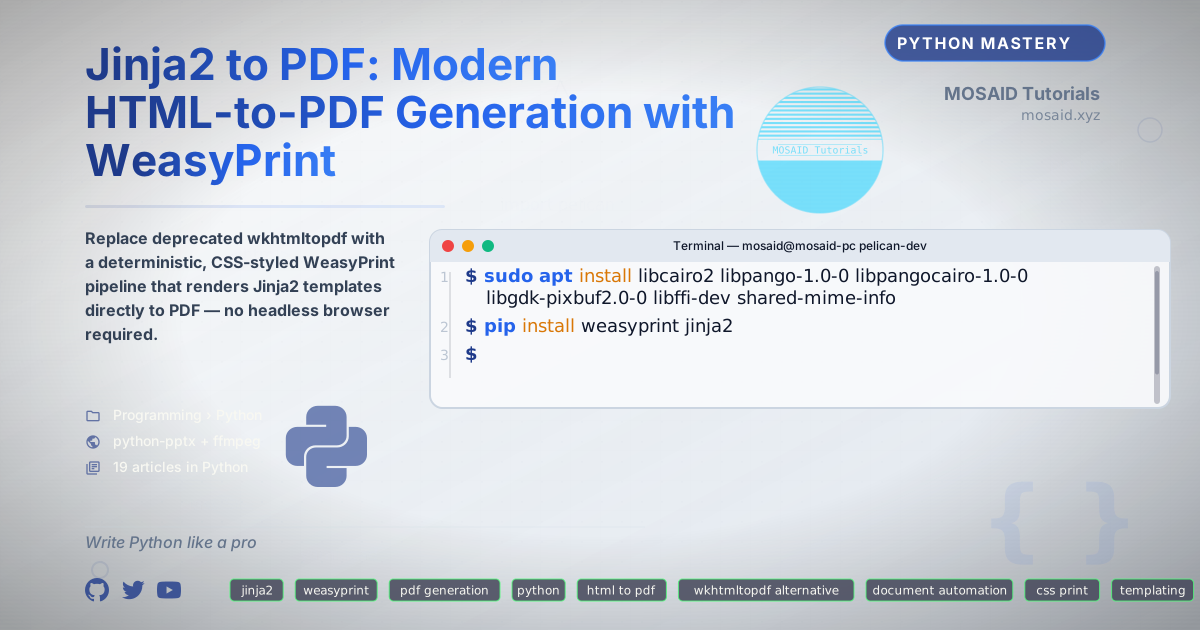
Jinja2 to PDF: Modern HTML-to-PDF Generation with WeasyPrint
For years, wkhtmltopdf was the go-to tool for converting HTML to PDF in Python workflows. It worked — until it didn't. The project is now effectively unmaintained, Qt WebKit bindings are brittle, and headless Chrome solutions like Playwright introduce heavy runtime dependencies that feel absurd for a document generation pipeline.
I recently migrated a document generation system from wkhtmltopdf to WeasyPrint, and the result was lighter, faster, and — most importantly — deterministic. No browser binaries. No X server. Just Python, CSS, and your templates.
This article documents that migration: the architecture, the tradeoffs, and a reusable pipeline you can drop into your own projects.
Why WeasyPrint Over the Alternatives
The HTML-to-PDF landscape in 2026 breaks down into three approaches:
| Approach | Tool | Dependencies | Reproducibility |
|---|---|---|---|
| Headless browser | Playwright, Puppeteer | Chromium binary (~300 MB) | Moderate — browser version matters |
| Legacy Qt WebKit | wkhtmltopdf | Qt libraries | Poor — unmaintained, rendering quirks |
| Pure Python layout engine | WeasyPrint | Cairo, Pango, GDK-Pixbuf (system libs) | Excellent — deterministic output from same inputs |
WeasyPrint doesn't execute JavaScript, which is a feature if your goal is server-side document generation from structured data. It implements its own CSS layout engine on top of Cairo, meaning the same HTML + CSS input produces the same PDF output every time. No browser version drift. No async event loop gymnastics. Just a function call.
•Deterministic: Same input always produces byte-identical PDF output.
•Lightweight: No browser binary — system Cairo and Pango handle rendering.
•Pythonic: Native Python API, integrates cleanly with Jinja2 and Flask/FastAPI.
•CSS Paged Media: Full support for @page, named pages, page counters, and footnotes.
Architecture Overview
The pipeline follows a straightforward data → template → render → PDF flow:
+-------------+     +------------------+     +--------------+     +----------+
| Data (JSON, | --> | Jinja2 Template  | --> | HTML String  | --> | WeasyPrint |
| dict, ORM)  |     | (with CSS print) |     | (in memory)   |     | PDF output |
+-------------+     +------------------+     +--------------+     +----------+
There's no intermediate file write unless you want one. The entire pipeline runs in memory, which matters when you're generating hundreds of documents in a batch job.
Installing WeasyPrint
WeasyPrint depends on system libraries for rendering. On a Debian/Ubuntu system:
sudo apt install libcairo2 libpango-1.0-0 libpangocairo-1.0-0 \
                 libgdk-pixbuf2.0-0 libffi-dev shared-mime-info
pip install weasyprint jinja2
For Alpine-based Docker images, the package names differ but the principle is the same. I include a Dockerfile snippet later that handles both.
Template Design with CSS Paged Media
The real work isn't the Python code — it's the CSS. WeasyPrint supports CSS Paged Media, which gives you control over page size, margins, headers, footers, and page breaks that browser-based converters often ignore.
Here's a minimal Jinja2 template with print-specific CSS:
<!DOCTYPE html>
<html lang="en">
<head>
<meta charset="utf-8">
<title>{{ title }}</title>
<style>
  @page {
    size: A4;
    margin: 2.5cm 2cm 2.5cm 2cm;
    @bottom-center {
      content: "Page " counter(page) " of " counter(pages);
      font-family: 'DejaVu Sans', sans-serif;
      font-size: 9pt;
      color: #666;
    }
  }

  @page :first {
    @bottom-center {
      content: none;
    }
  }

  body {
    font-family: 'DejaVu Sans', sans-serif;
    font-size: 11pt;
    line-height: 1.6;
    color: #1a1a1a;
  }

  h1 {
    font-size: 22pt;
    color: #2c3e50;
    border-bottom: 3px solid #3498db;
    padding-bottom: 0.3em;
    page-break-before: avoid;
  }

  h2 {
    font-size: 16pt;
    color: #2c3e50;
    page-break-after: avoid;
  }

  pre {
    background: #f7f9fa;
    border-left: 4px solid #3498db;
    padding: 1em;
    font-family: 'DejaVu Sans Mono', monospace;
    font-size: 9pt;
    line-height: 1.4;
    overflow-wrap: break-word;
    white-space: pre-wrap;
  }

  code {
    font-family: 'DejaVu Sans Mono', monospace;
    font-size: 9pt;
  }

  table {
    border-collapse: collapse;
    width: 100%;
    margin: 1em 0;
    page-break-inside: avoid;
  }

  th, td {
    border: 1px solid #ddd;
    padding: 0.5em 0.75em;
    text-align: left;
  }

  th {
    background: #f0f3f5;
    font-weight: 600;
  }

  .page-break {
    page-break-before: always;
  }
</style>
</head>
<body>
  {{ content }}
</body>
</html>
Key details in that CSS:
•@page with @bottom-center: Page numbering that Just Works — no JavaScript, no header/footer hacks.
•page-break-before: avoid on headings: Prevents orphaned headers at page bottoms.
•page-break-inside: avoid on tables: Keeps tabular data together.
•Font declarations: Explicit font-family with fallbacks — WeasyPrint uses system fonts, so declare what you have available. DejaVu Sans ships on most Linux systems.
The Python Pipeline
Here's the complete generation pipeline as a reusable class:
from pathlib import Path
from jinja2 import Environment, FileSystemLoader
from weasyprint import HTML
import tempfile
from typing import Optional, Dict, Any


class PDFGenerator:
    """Deterministic PDF generation from Jinja2 templates using WeasyPrint."""

    def __init__(self, template_dir: Path):
        self.env = Environment(
            loader=FileSystemLoader(str(template_dir)),
            autoescape=True,
        )

    def render_html(
        self,
        template_name: str,
        context: Dict[str, Any]
    ) -> str:
        """Render a Jinja2 template to an HTML string."""
        template = self.env.get_template(template_name)
        return template.render(**context)

    def generate_pdf(
        self,
        html_string: str,
        output_path: Optional[Path] = None,
        base_url: Optional[str] = None,
    ) -> bytes:
        """
        Convert HTML string to PDF bytes.

        Args:
            html_string: Rendered HTML content.
            output_path: If provided, write PDF to this path.
            base_url: Base URL for resolving relative URLs in the HTML.

        Returns:
            PDF as bytes.
        """
        html = HTML(
            string=html_string,
            base_url=base_url,
        )
        pdf_bytes = html.write_pdf()

        if output_path:
            output_path.write_bytes(pdf_bytes)

        return pdf_bytes

    def generate_from_template(
        self,
        template_name: str,
        context: Dict[str, Any],
        output_path: Optional[Path] = None,
    ) -> bytes:
        """Full pipeline: render template → generate PDF."""
        html_string = self.render_html(template_name, context)
        return self.generate_pdf(html_string, output_path=output_path)


# Usage example
if __name__ == "__main__":
    generator = PDFGenerator(template_dir=Path("./templates"))

    context = {
        "title": "Monthly Engineering Report — March 2026",
        "content": "<h1>Overview</h1><p>Results here...</p>",
    }

    pdf_bytes = generator.generate_from_template(
        template_name="report.html",
        context=context,
        output_path=Path("./output/report.pdf"),
    )

    print(f"Generated {len(pdf_bytes)} bytes")
This class intentionally keeps the interface narrow: template + context in, PDF bytes out. The caller doesn't need to know about HTML intermediates unless they want them for debugging.
Handling Images and Static Assets
When your templates reference local images or CSS files, WeasyPrint needs a base_url to resolve relative paths. Pass it through:
generator.generate_pdf(
    html_string=html_string,
    base_url="file:///home/user/project/templates/",
)
For production, I prefer embedding images as base64 data URIs in the template context — this makes the HTML fully self-contained and avoids filesystem dependency during rendering:
import base64
from pathlib import Path

def image_to_data_uri(path: Path, mime_type: str = "image/png") -> str:
    """Convert an image file to a base64 data URI."""
    encoded = base64.b64encode(path.read_bytes()).decode("ascii")
    return f"data:{mime_type};base64,{encoded}"

# In your context:
context["logo"] = image_to_data_uri(Path("./assets/logo.png"))
Then in the template:
<img src="{{ logo }}" alt="Company Logo" style="max-width: 200px;">
This approach produces fully portable HTML strings — serialize them to a database, send them over a message queue, render them anywhere. No asset paths to manage.
Dockerizing the Pipeline
Here's a minimal Dockerfile that produces a reproducible PDF generation image:
FROM python:3.12-slim-bookworm

RUN apt-get update && apt-get install -y --no-install-recommends \
    libcairo2 \
    libpango-1.0-0 \
    libpangocairo-1.0-0 \
    libgdk-pixbuf2.0-0 \
    libffi8 \
    shared-mime-info \
    fonts-dejavu-core \
    fonts-dejavu-mono \
    && rm -rf /var/lib/apt/lists/*

COPY requirements.txt .
RUN pip install --no-cache-dir -r requirements.txt

COPY ./templates /app/templates
COPY ./generate.py /app/generate.py

WORKDIR /app
ENTRYPOINT ["python", "generate.py"]
The fonts-dejavu-core and fonts-dejavu-mono packages are critical — WeasyPrint needs actual font files to render text. Without them, you'll get blank pages or fallback to ugly bitmap fonts.
Performance Considerations
WeasyPrint is CPU-bound and single-threaded per document. For bulk generation, parallelize at the process level:
from concurrent.futures import ProcessPoolExecutor
from pathlib import Path

def generate_one(args):
    template_name, context, output_path = args
    generator = PDFGenerator(template_dir=Path("./templates"))
    generator.generate_from_template(template_name, context, output_path)
    return output_path

def batch_generate(documents, max_workers=4):
    with ProcessPoolExecutor(max_workers=max_workers) as executor:
        results = list(executor.map(generate_one, documents))
    return results
I've found that max_workers = CPU_COUNT gives the best throughput. Memory usage scales linearly with worker count — each worker loads the template environment independently.
A quick benchmark on my machine (Ryzen 7, 8 cores) generating a 12-page report with charts and tables:
| Method | Documents/sec | Memory per worker |
|---|---|---|
| Single process | 2.3 | ~80 MB |
| 4 workers | 8.1 | ~80 MB each (320 MB total) |
| 8 workers | 14.2 | ~80 MB each (640 MB total) |
Not perfectly linear due to GIL release during Cairo rendering, but close enough for most workloads.
Migration From wkhtmltopdf: What Changes
If you're migrating an existing wkhtmltopdf workflow, here's what breaks and what improves:
•JavaScript-rendered charts: Must be pre-rendered server-side or replaced with static images. I moved from Chart.js to Matplotlib-rendered PNGs embedded as data URIs.
•Flexbox and Grid: WeasyPrint's support is solid but not identical to Chrome. Test your layouts — simple flex layouts work; complex nested grids may need adjustment.
•Web fonts: @import url() for Google Fonts works, but adds network latency. I bundle fonts as base64 in the CSS during the build step.
•Headers and footers: The @page margin boxes are vastly simpler than wkhtmltopdf's --header-html and --footer-html flags. No more phantom header spacing bugs.
Edge Cases and Gotchas
After generating thousands of PDFs through this pipeline, here's what I've learned:
•Long words in <pre> blocks overflow pages. Always set overflow-wrap: break-word and white-space: pre-wrap on code blocks.
•Empty <div> elements with padding cause blank pages. WeasyPrint collapses empty block elements — add or a zero-width space if you need to preserve spacing.
•CMYK color spaces aren't supported. If you need print-shop-ready PDFs with CMYK, you'll need post-processing with a tool like Ghostscript.
•SVG support is limited to static SVG. No SMIL animations, no external CSS — inline styles only.
Integration Patterns
This pipeline fits naturally into several workflows:
•Flask/FastAPI endpoint: Accept JSON payload, render template, return PDF response with Content-Type: application/pdf.
•Celery background task: Long reports (50+ pages) can take several seconds — offload to a task queue.
•CI/CD documentation build: Generate PDF manuals as build artifacts from Markdown rendered through Jinja2.
•Email attachment pipeline: Render invoice → attach to email → send via SMTP, all within a single Python process.
Complete Example: Invoice Generator
Here's a full working example that ties everything together — an invoice generator you can adapt:
from pathlib import Path
from datetime import date
from jinja2 import Environment, FileSystemLoader
from weasyprint import HTML

TEMPLATE = """<!DOCTYPE html>
<html>
<head>
<style>
  @page { size: A4; margin: 2cm; }
  body { font-family: 'DejaVu Sans', sans-serif; font-size: 11pt; }
  .header { display: flex; justify-content: space-between; margin-bottom: 2em; }
  .invoice-details { text-align: right; }
  table { width: 100%; border-collapse: collapse; margin: 1em 0; }
  th { background: #2c3e50; color: white; padding: 0.5em; text-align: left; }
  td { padding: 0.5em; border-bottom: 1px solid #ddd; }
  .total { text-align: right; font-weight: bold; font-size: 14pt; margin-top: 1em; }
</style>
</head>
<body>
  <div class="header">
    <div><strong>{{ company_name }}</strong><br>{{ company_address }}</div>
    <div class="invoice-details">
      <strong>Invoice #{{ invoice_number }}</strong><br>
      Date: {{ invoice_date }}<br>
      Due: {{ due_date }}
    </div>
  </div>

  <h2>Bill To:</h2>
  <p>{{ client_name }}<br>{{ client_address }}</p>

  <table>
    <thead>
      <tr><th>Description</th><th>Qty</th><th>Rate</th><th>Amount</th></tr>
    </thead>
    <tbody>
      {% for item in line_items %}
      <tr>
        <td>{{ item.description }}</td>
        <td>{{ item.quantity }}</td>
        <td>${{ "%.2f"|format(item.rate) }}</td>
        <td>${{ "%.2f"|format(item.quantity * item.rate) }}</td>
      </tr>
      {% endfor %}
    </tbody>
  </table>

  <div class="total">Total: ${{ "%.2f"|format(total) }}</div>
</body>
</html>"""

def generate_invoice(context: dict, output_path: Path) -> bytes:
    env = Environment()
    template = env.from_string(TEMPLATE)
    html = template.render(**context)

    pdf = HTML(string=html).write_pdf()
    output_path.write_bytes(pdf)
    return pdf

# Example usage
invoice_data = {
    "company_name": "Acme Engineering Ltd.",
    "company_address": "123 Main St, Tech City, TC 12345",
    "invoice_number": "INV-2026-0042",
    "invoice_date": "2026-05-26",
    "due_date": "2026-06-25",
    "client_name": "ClientCorp Inc.",
    "client_address": "456 Business Ave, Commerce City, CC 67890",
    "line_items": [
        {"description": "Backend API Development", "quantity": 40, "rate": 150.00},
        {"description": "System Architecture Review", "quantity": 8, "rate": 200.00},
        {"description": "Documentation & Handover", "quantity": 12, "rate": 125.00},
    ],
}
invoice_data["total"] = sum(
    item["quantity"] * item["rate"] for item in invoice_data["line_items"]
)

generate_invoice(invoice_data, Path("invoice.pdf"))
Final Thoughts
WeasyPrint isn't a drop-in replacement for wkhtmltopdf — it's a different philosophy. Where wkhtmltopdf offloads rendering to a browser engine and hopes for the best, WeasyPrint gives you explicit control through CSS Paged Media. That tradeoff means more upfront work on your CSS, but the payoff is reliable, reproducible output that doesn't drift with browser updates.
For document generation pipelines — invoices, reports, certificates, manuals — I now reach for WeasyPrint first. It's one less moving part to debug when something goes wrong at 3 AM, and that alone justifies the migration.
The full pipeline code from this article is available as a reusable package. Adapt the invoice example to your own templates, wrap it in a Flask endpoint or a Celery task, and you've got a production-ready PDF generation system with no browser binary in sight.
Recent Articles







Most Viewed Articles





The Ultimate Vim Setup (My 2024 vimrc ) : Essential Commands, Configurations, and Plugin Tips
Views: 1.45K
12 Apr 2024


Complete Tutorial: Creating Categories and Subcategories Using Pages in Pelican
Views: 1.11K
24 Jun 2025
Leave a comment