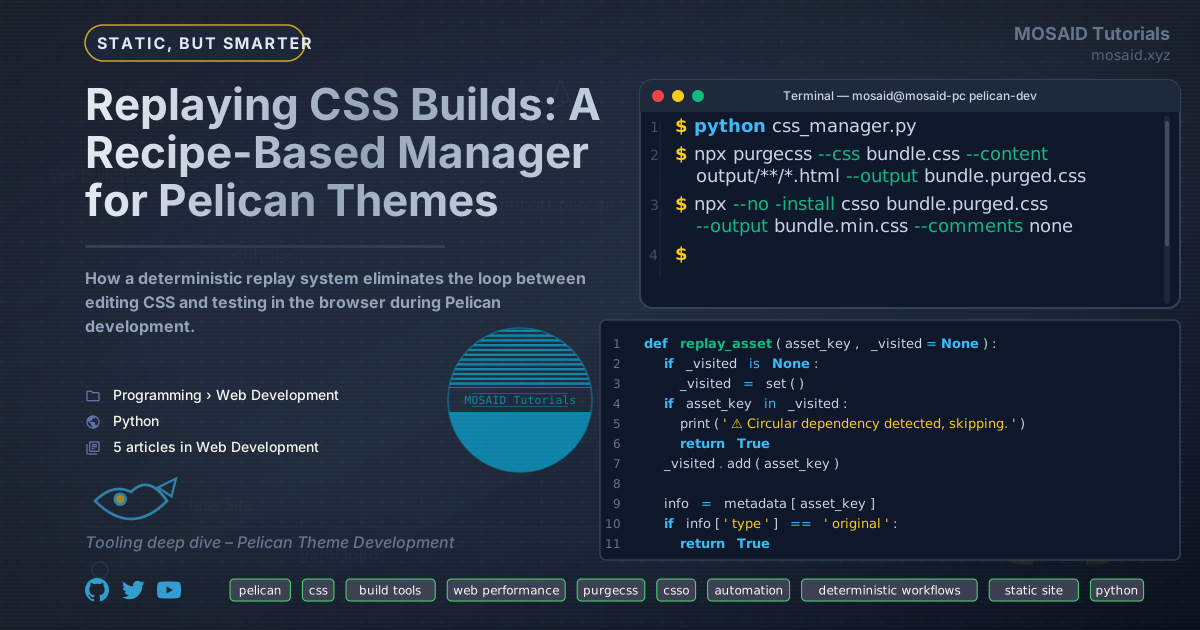
Replaying CSS Builds: A Recipe-Based Manager for Pelican Themes
The Render‑Blocking Problem
Every CSS file a browser encounters before rendering the page adds a
network round‑trip and delays the first paint. In a Pelican theme, it’s
common to split styles across many small files – typography, code
highlighting, comments, special layouts. The result is a handful of
<link> tags in the <head>, each a
render‑blocking request.
During development I found myself staring at Lighthouse reports that pointed to exactly this overhead. I had the source files in separate, well‑organised chunks, but serving them individually was hurting performance. The answer is obvious: bundle them into a single file. But how do you maintain that bundle while you’re actively editing the originals?
The Development Loop That Slowed Me Down
The manual workflow looked like this:
# 1. Edit one of the source CSS files
vim theme/static/css/mycss/articles-cards.css

# 2. Concatenate all the pieces
cat base.css ... articles-cards.css ... > bundle.css

# 3. Purge unused selectors (if I remembered)
npx purgecss --css bundle.css --content output/**/*.html --output bundle.purged.css

# 4. Minify
npx csso bundle.purged.css --output bundle.min.css --comments none

# 5. Rebuild Pelican (slow, ~20–40 seconds)
make html

# 6. Copy the final file into the output directory
cp bundle.min.css output/theme/css/newcss/

# 7. Refresh the browser
That’s seven steps, two manual command invocations that I would regularly forget, and a full Pelican rebuild just to see whether my CSS change had the desired effect. The loop was slow, error‑prone, and frustrating.
The real pain came when I wanted to test several variants. I would create bundles for different templates (articles, courses, blogs), purge them against their respective content, and then have to re‑run the whole chain after every small tweak. I needed a tool that could remember what I did and do it again automatically.
The CSS Bundle Experiment Manager
I wrote a Python script that turns the manual workflow into a reproducible pipeline. It stores every operation – combine, purge, minify – as a recipe and can replay the full sequence from the original source files all the way to the deployed result. The script lives in the project root and uses an interactive CLI.
Here’s what a typical session looks like:
$ python css_manager.py
================================================================================
CSS BUNDLE EXPERIMENT MANAGER
================================================================================
 1) List all assets
 2) Create a bundle (combine)
 3) Show bundle details
 4) Show bundle tree
 5) Delete a managed asset
 6) Purge a CSS file (purgecss)
 7) Minify a CSS file (csso)
 8) Copy a managed asset to site dirs
 9) Deploy again (replay & copy to newcss)
10) Exit

Choice: 9
After building a bundle once (options 2, 6, 7), option 9 replays
everything and copies the output to
output/theme/css/newcss/ – the directory my template
references during development. I can edit any source file, press 9, and
refresh the browser. No Pelican rebuild, no manual concatenation.
Architecture
The manager tracks two types of assets:
•Original assets: the source CSS files listed
in a BASE_FILES configuration list. These are read‑only
from the tool’s perspective.
•Managed assets: any CSS file produced by
combining, purging, or minifying. Each managed asset carries a
recipe that describes exactly how it was built.
The metadata is stored in a JSON file
(css-experiments/managed/metadata.json) that survives
across sessions. The in‑memory representation is a simple dictionary
keyed by absolute path:
{
  "/path/to/bundle.css": {
    "type": "combined",
    "sources": ["/path/to/base.css", "/path/to/cards.css", ...],
    "recipe": {
      "operation": "combine",
      "sources": ["/path/to/base.css", "/path/to/cards.css"]
    }
  }
}
Workflow: From Source to Deployed Bundle
1. Combine
You choose two or more assets (originals or other managed bundles)
and give the output a name. The script concatenates them with clear
delimiter comments and saves the result in a managed directory
(css-experiments/managed/). The sources list
is flattened: if you include a bundle that itself was created from
A and B, the final metadata lists
A and B as sources, not the intermediate
bundle. This gives you a clean dependency tree.
2. Purge
Select a CSS file (original or managed) and choose one or more
content patterns that cover the HTML pages where the styles will be
used. The script runs purgecss and registers the output as
a new managed asset. The recipe stores the source and the content
patterns so they can be reused later.
3. Minify
Similar to purging – pick a CSS file, choose an output name, and the
script runs csso. The recipe records the source file.
4. Copy
The generic copy option (8) lets you copy any managed asset to
standard site directories. For quick tests, though, I rely on option 9
– it always copies into output/theme/css/newcss/.
The Recipe System
The heart of the tool is the replay_asset function. It
walks the recipe graph recursively, ensuring that every upstream
dependency is rebuilt before the target asset is regenerated. This
guarantees that if you edit articles-cards.css and ask to
redeploy a bundle that includes it, the bundle is reassembled from the
updated source.
Replay logic for each operation:
- Combine: re‑reads every source file and writes the concatenated output.
- Purge: invokes
purgecsswith the stored content patterns. - Minify: invokes
csso.
Because the recipes are plain JSON, the system is fully transparent.
You can inspect or even hand‑edit metadata.json to tweak
a pipeline without going through the interactive menu.
“Deploy Again” – The Shortcut That Saves the Day
The deploy_again function is a one‑shot replay and
deploy. It presents a list of replayable assets, lets you pick one,
then calls replay_asset and copies the resulting file to
output/theme/css/newcss/. This is the only option I use
during active development.
Here’s the code that makes it possible:
def replay_asset(asset_key, _visited=None):
    if _visited is None:
        _visited = set()
    if asset_key in _visited:
        print("⚠ Circular dependency detected, skipping.")
        return True
    _visited.add(asset_key)

    info = metadata[asset_key]
    if info["type"] == "original":
        return True

    recipe = info.get("recipe")
    if not recipe:
        print(f"❌ No recipe stored for {short_name(asset_key)} – cannot replay.")
        return False

    op = recipe["operation"]

    if op == "combine":
        for src_key in recipe["sources"]:
            if metadata[src_key]["type"] != "original":
                replay_asset(src_key, _visited)
        # ... write concatenated file ...

    elif op == "purge":
        src_key = recipe["source"]
        if metadata[src_key]["type"] != "original":
            replay_asset(src_key, _visited)
        # ... run purgecss ...

    elif op == "minify":
        src_key = recipe["source"]
        if metadata[src_key]["type"] != "original":
            replay_asset(src_key, _visited)
        # ... run csso ...
The recursion guarantees that if your minified bundle depends on a purged file that depends on a combined bundle, the entire chain is executed in the correct order.
Integration with Pelican
I modified my theme templates to include a single CSS link that
points to the file inside newcss/. For example, in
article.html:
<link rel="stylesheet" href="{{ SITEURL }}/theme/css/newcss/article-bundle.min.css">
During development, that file is generated by the manager and overwritten on every “deploy again”. Once I’m satisfied, I copy the final bundle into the standard theme CSS folder, update the template link, and rebuild the full site to freeze the production version.
Performance Impact
Consolidating multiple CSS files into one per template eliminated all extra render‑blocking requests. For my article template, the number of CSS requests dropped from 7 to 1. Combined with purging, the total CSS payload shrank by roughly 40% because unused Bootstrap and syntax‑highlighting rules were removed.
The replay itself is fast: a combine + purge + minify pipeline takes about 2–3 seconds on my machine. That’s compared to the 20‑second Pelican rebuild I used to endure.
Why Not Use an Existing Bundler?
Tools like Webpack or Parcel are overkill for a static site that’s already assembled by Pelican. I wanted something that:
- Understands Pelican’s output directory structure
- Works with pre‑existing CSS files without a build step
- Keeps the pipeline transparent and inspectable
- Integrates with the CLI rather than a configuration file
The recipe system is the differentiator. It’s not just a build script; it’s a build journal that can be replayed on demand.
Potential Improvements
The script is currently a standalone interactive tool. In the future I plan to add:
•Watch mode: use watchdog or a
simple polling loop to replay recipes automatically when source files
change.
•Multiple output profiles: support deploying to different directories for different environments (staging, production).
•Diff‑aware purging: only re‑purge if the source CSS or HTML content has changed.
Final Thoughts
This tool removed the biggest friction point in my Pelican theme
development. I can now iterate on styles as fast as I can switch to the
browser and hit refresh. The recipe system means I never lose track of
how a bundle was built, and I can hand off the entire pipeline to a
colleague (or my future self) by just sharing the
metadata.json file.
The source code is available in my Pelican tools repository. If you’re battling render‑blocking CSS or a slow build‑and‑test loop, this approach might fit your workflow as well as it did mine.
Recent Articles







Most Viewed Articles





The Ultimate Vim Setup (My 2024 vimrc ) : Essential Commands, Configurations, and Plugin Tips
Views: 1.47K
12 Apr 2024


Complete Tutorial: Creating Categories and Subcategories Using Pages in Pelican
Views: 1.12K
24 Jun 2025
Leave a comment