Why the First 100 Milliseconds Matter
A Neovim configuration that starts fast and behaves predictably isn’t an accident – it’s a designed system. When you open an editor dozens of times a day across different machines, the difference between a 80 ms cold start and a 400 ms one is the difference between an invisible tool and a constant reminder that something is loading. This article lays out the foundation of my daily driver: a fully modular, lazy‑loaded, deterministic Neovim setup that I’ve used for years to write LaTeX, Python, shell scripts, Markdown, and more.
We’ll start with the directory tree, then walk through every line of init.lua and the
lazy‑bootstrapping module, explaining the engineering decisions – not just the “what”, but the “why”.
The complete file contents are included so you can rebuild this foundation yourself or adapt it
to your own toolchain.
Directory Tree
Below is the entire configuration tree at the time of writing. Files that are central to this article are highlighted in bold:
~/.config/nvim/
├── init.lua                       <-- entry point
├── lazy-lock.json                 <-- pinned plugin versions
├── lua/
│   ├── config/
│   │   ├── lazy.lua               <-- bootstraps lazy.nvim
│   │   ├── colors.lua
│   │   ├── commands.lua
│   │   ├── functions.lua
│   │   ├── html_markdown_maps.lua
│   │   ├── html_snippets.lua
│   │   ├── keymaps.lua
│   │   ├── options.lua
│   │   └── tex_snippets.lua
│   └── plugins/
│       └── core.lua
└── ftplugin/
    ├── html.lua
    ├── lua.lua
    ├── markdown.lua
    ├── python.lua
    └── tex.lua
The tree follows the standard Neovim convention: init.lua in the root, lua/
for modules, ftplugin/ for filetype‑specific settings. The entire configuration is
lazy‑loaded, meaning no plugin is sourced until it is actually needed (filetype, command, or event).
The Entry Point: init.lua
The entry point sets global options, defines the leader keys, configures persistent state, and schedules the later loading of plugins and UI. Every choice is deliberate:
- Leader keys:
,as mapleader,Spaceas local leader – keeps custom mappings comfortably under the left hand. - Basic settings: line numbers, relative numbers, mouse support, 2‑space tabs, smart case – a sane baseline that individual filetypes can override.
- Persistent history & undo:
shadaandundofileare pushed tostdpath('data'). Theshadafile stores command history and marks; the undo tree survives restarts. Both are set to very high limits to never lose context. - Fallback colourscheme:
desertis set immediately so the editor never looks broken, thenrequire('config.lazy')is called to pull in plugins. After plugins load, a scheduled callback applies the real theme and custom highlights. - Autocommands: trailing whitespace stripping on save, restoring cursor position, setting filetype for
.texfiles, auto‑lcdto file directory, and yank highlighting.
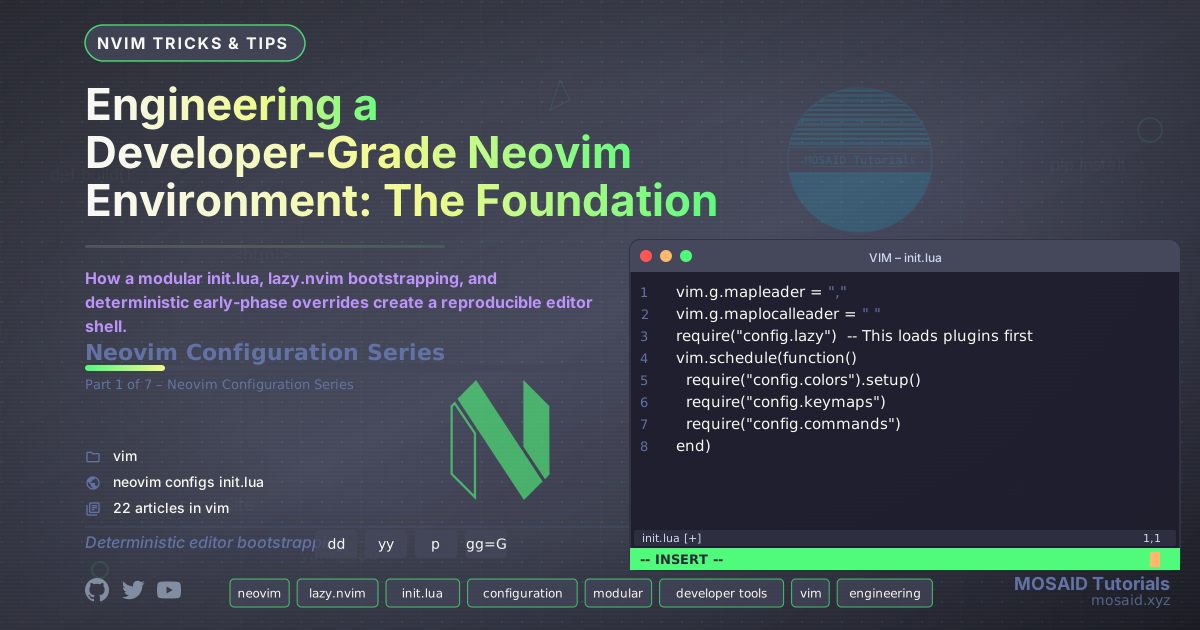
Here is the complete init.lua:
-- Modern Neovim by MOSAID

-- Leader
vim.g.mapleader = ","
vim.g.maplocalleader = " "

-- Basic settings (keep your existing ones)
vim.o.number = true
vim.o.relativenumber = true
vim.o.termguicolors = true
vim.o.wrap = true
vim.o.tabstop = 2
vim.o.shiftwidth = 2
vim.o.expandtab = true
vim.o.mouse = "a"
vim.o.cmdheight = 1
vim.opt.ignorecase = true
vim.opt.smartcase = true


vim.g.loaded_netrw = 1
vim.g.loaded_netrwPlugin = 1

-- History, undo, backup
-- vim.opt.undofile = true
-- vim.opt.undodir = vim.fn.stdpath("data") .. "/undo"
-- vim.opt.undolevels = 1000
-- vim.opt.undoreload = 10000
-- vim.opt.backup = true
-- vim.opt.backupdir = vim.fn.stdpath("data") .. "/backup"
-- vim.opt.directory = vim.fn.stdpath("data") .. "/backup"
-- vim.opt.history = 10000

-- Maximum history
vim.opt.history = 10000          -- command and search history
vim.opt.undolevels = 10000        -- undo steps
vim.opt.undoreload = 100000       -- undo for this many lines

-- Persistent undo
vim.opt.undofile = true
vim.opt.undodir = vim.fn.stdpath("data") .. "/undo"

-- Persistent command/search history
vim.opt.shadafile = vim.fn.stdpath("data") .. "/shada/main.shada"
vim.opt.shada = "'100000,<1000,s100,h"
vim.cmd("silent! rshada")  -- load at startup


-- Set a basic colorscheme immediately
vim.cmd("colorscheme desert")  -- Fallback colorscheme

-- Load modules in correct order
require("config.lazy")  -- This loads plugins first

-- After plugins are loaded, set up our colors
vim.schedule(function()
  require("config.colors").setup()  -- This sets tokyonight and custom highlights
  require("config.keymaps")
  require("config.commands")
end)


-- Auto-command to remove trailing whitespace
vim.api.nvim_create_autocmd("BufWritePre", {
  pattern = "*",
  callback = function()
    vim.cmd([[%s/\s\+$//e]])
  end
})


-- Remember last cursor position when reopening a file
vim.api.nvim_create_autocmd("BufReadPost", {
  pattern = "*",
  callback = function()
    local last_pos = vim.fn.line([['"]])
    if last_pos > 1 and last_pos <= vim.fn.line("$") then
      vim.cmd("normal! g`\"")
    end
  end,
})


-- Filetype detection autocmds
vim.api.nvim_create_autocmd({"BufEnter", "BufNew", "BufNewFile", "BufRead"}, {
  pattern = "*.tex",
  callback = function()
    vim.bo.filetype = "tex"
  end
})

-- Set current directory to directory of the current file, except /tmp
vim.api.nvim_create_autocmd("BufReadPost", {
  callback = function()
    local dir = vim.fn.expand("%:p:h")
    if dir ~= "" and not dir:match("^/tmp") then
      vim.cmd("silent! lcd " .. dir)
    end
  end,
})

-- Briefly highlight yanked text
vim.api.nvim_create_autocmd("TextYankPost", {
  pattern = "*",
  callback = function()
    vim.highlight.on_yank({
      higroup = "IncSearch",  -- or "Visual", "Search", etc.
      timeout = 500,          -- highlight duration in milliseconds
    })
  end,
})
Bootstrapping lazy.nvim
The require("config.lazy") call inside init.lua delegates to
lua/config/lazy.lua, which is the only file that touches plugin management.
It clones lazy.nvim itself if missing, then loads the plugin specification from
lua/plugins/core.lua.
This file is intentionally minimal – it does not configure any plugins, only wires
the package manager. The border = "rounded" setting is purely cosmetic.
Every plugin is listed in core.lua and lazy‑loaded by event, command,
or filetype. The lazy-lock.json file pins exact commits so the environment
is fully reproducible across machines.
local lazypath = vim.fn.stdpath("data") .. "/lazy/lazy.nvim"

if not vim.loop.fs_stat(lazypath) then
  vim.fn.system({
    "git",
    "clone",
    "--filter=blob:none",
    "https://github.com/folke/lazy.nvim.git",
    lazypath,
  })
end

vim.opt.rtp:prepend(lazypath)

require("lazy").setup({
  spec = {
    { import = "plugins" },
  },
  ui = {
    border = "rounded"
  }
})
The lazy-lock.json file (not shown in full here, but available in the
configuration repository) records the exact commit of every plugin. This guarantees
that lazy.sync() always restores the same plugin set, making the
environment truly deterministic.
Ordering and the Scheduled Callback
The line vim.schedule(function() ... end) after loading lazy.nvim is critical.
It defers the remaining setup until after the UI has been entered and plugins have been loaded
(but not necessarily after they are all configured – lazy.nvim’s config keys
run during the setup() call). This prevents race conditions where a
colourscheme or highlight group is set before the plugin that defines it has been sourced.
Inside the scheduled callback we call:
require("config.colors").setup()– applies the chosen theme (Nordic) and sets custom highlight groups. A fallback todesertis already in place, so the editor is always readable.require("config.keymaps")– defines global keybindings that rely on functions fromconfig.functions.require("config.commands")– creates user commands (like:WC,:Cc, etc.) that also depend on those utility functions.
Because everything after plugins is scheduled, the editor remains responsive during startup and never throws “module not found” errors even if a plugin fails to load.
Early Fallback Colourscheme
Immediately after the basic options, we call vim.cmd("colorscheme desert").
This is the ultimate safety net: if the later scheduled colors.setup() fails
(for example, because the Tokyonight plugin is missing), the editor still has a functioning
colourscheme. It also eliminates the “flash of unstyled text” that occurs when Neovim
starts with no theme and then asynchronously loads one. The fallback is always overridden
by the scheduled callback, so users never see desert once the real theme kicks in.
Autocommands as Infrastructure
The autocommands defined in init.lua are small pieces of infrastructure that
would be annoying to lose:
- Trailing whitespace removal on save – keeps diffs clean without manual clean‑up.
- Cursor position restoration – when you reopen a file you left the day before, you’re exactly where you stopped.
- Automatic filetype for
.tex– some systems don’t recognise.texas LaTeX without this explicit mapping. - Auto‑
lcdto file directory – makes:Telescope find_filesand relative imports work out of the box. - Yank highlight – provides instant visual feedback that the yank succeeded, a subtle but powerful usability improvement.
Reproducibility from the Ground Up
Every line in these two files serves a purpose: there are no boilerplate copies from
other people’s dotfiles, no unused settings, and every module is loaded lazily only when
required. The lazy-lock.json ensures that even plugin versions are frozen,
turning the entire configuration into a build artifact that can be checked out and
expected to work identically on any Neovim 0.9+ installation.
In the next article we’ll dive into the filetype‑specific engines – how
ftplugin/*.lua and shared mapping modules create a context‑aware editor
that feels custom‑built for Python, LaTeX, HTML, and Markdown.














Leave a comment