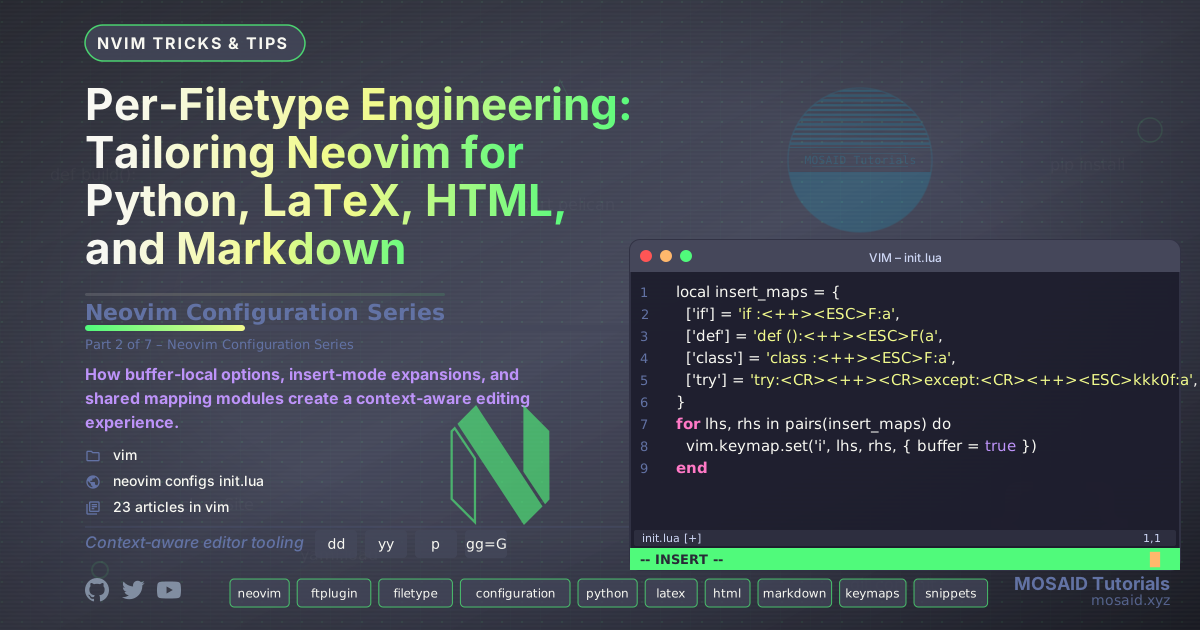
Context is Everything
A general‑purpose editor can only take you so far. The moment you switch from a Python script to a LaTeX document, your brain expects different indentation, different macros, and different ways to manipulate the text. A well‑engineered Neovim configuration reacts to filetypes not as an afterthought, but as a first‑class design principle.
In this second article of the series, we open the ftplugin/ directory and the
shared mapping modules that give each language its own personality – without duplicating logic.
We'll walk through the full source of every relevant file, explaining the reasoning behind
each buffer‑local option, each insert‑mode expansion, and each visual‑mode wrapping command.
The ftplugin Mechanism
Neovim automatically sources Lua files in ~/.config/nvim/ftplugin/ when a buffer's
filetype matches the filename (e.g., python.lua for Python files). This is the
official way to inject buffer‑local settings without polluting global configuration. Everything
we set in these files is scoped to the current buffer, so you can have 2‑space indentation for
HTML and 4‑space for Python simultaneously.
Our ftplugin files do three things:
- Set buffer‑local options (tabstop, shiftwidth, textwidth, etc.).
- Define insert‑mode keymaps that expand into larger code constructs (e.g., typing
ifbecomesif :<++>in Python). - Call shared mapping modules to apply visual‑mode wrappers and other common utilities.
This last point is crucial: HTML and Markdown share a large set of visual mappings (wrapping text in
<p>, <h2>, etc.), so we centralise that logic in
lua/config/html_markdown_maps.lua and require it from both ftplugins. No duplication,
no drift.
Python: 4‑Space Indentation and Quick Constructs
The Python ftplugin sets tabstop=4, shiftwidth=4, and
textwidth=88 (PEP 8 line length). It also defines two normal‑mode mappings:
<leader>c to run the buffer asynchronously in a scratch buffer, and
<leader>i to open an interactive REPL in a vertical split.
The insert‑mode mappings are a collection of shorthand triggers: typing if expands to
if :<++> with the cursor placed after the colon, def expands to
def ():<++>, and so on. The <++> placeholders are jump
targets (navigated with Ctrl‑L / Ctrl‑H) that appear in many languages throughout the config.
This gives a consistent, muscle‑memory‑based editing flow.
-- Python-specific settings
vim.bo.tabstop = 4
vim.bo.shiftwidth = 4
vim.bo.expandtab = true
vim.bo.textwidth = 88  -- PEP 8 line length

-- Run Python code and display output in a scratch buffer
local function run_python_buffer()
  local current_file = vim.fn.expand("%")

  -- Create scratch buffer
  vim.cmd("enew")
  local buf = vim.api.nvim_get_current_buf()

  -- Buffer settings
  vim.bo[buf].buftype = "nofile"
  vim.bo[buf].bufhidden = "wipe"
  vim.bo[buf].swapfile = false
  vim.bo[buf].filetype = "python"

  vim.wo.wrap = false
  vim.wo.number = true
  vim.wo.relativenumber = true

  vim.api.nvim_buf_set_lines(buf, 0, -1, false, {
    "Running Python script...",
    "File: " .. current_file,
    ""
  })

  local function append_lines(lines)
    if vim.api.nvim_buf_is_valid(buf) and lines then
      vim.api.nvim_buf_set_lines(buf, -1, -1, false, lines)
      -- Scroll to bottom
      local last = vim.api.nvim_buf_line_count(buf)
      vim.api.nvim_win_set_cursor(0, { last, 0 })
    end
  end

  -- Start async job
  local job_id
  job_id = vim.fn.jobstart({ "python3", current_file }, {
    stdout_buffered = false,
    stderr_buffered = false,

    on_stdout = function(_, data)
      append_lines(data)
    end,

    on_stderr = function(_, data)
      append_lines(data)
    end,

    on_exit = function(_, exit_code)
      append_lines({
        "",
        "Execution finished (exit code: " .. exit_code .. ")",
      })

      -- Only set keymap if buffer still exists
      if vim.api.nvim_buf_is_valid(buf) then
        vim.keymap.set("n", "<CR>", function()
          if job_id then vim.fn.jobstop(job_id) end
          if vim.api.nvim_buf_is_valid(buf) then
            vim.cmd("bd!")
          end
        end, { buffer = buf })
      end
    end,
  })

  -- Kill job if buffer is wiped
  vim.api.nvim_create_autocmd("BufWipeout", {
    buffer = buf,
    once = true,
    callback = function()
      if job_id then vim.fn.jobstop(job_id) end
    end,
  })
end

-- Normal mode mappings for Python
vim.keymap.set('n', '<leader>c', run_python_buffer, { buffer = true, desc = "Run Python buffer" })
vim.keymap.set('n', '<leader>i', function()
  vim.cmd('TermExec cmd="python3 -i %" direction=vertical size=60')
end, { buffer = true, desc = "Interactive Python REPL" })

-- Insert mode mappings for Python
local insert_maps = {
  ['if'] = 'if :<++><ESC>F:a',
  ['for'] = 'for in :<++><ESC>F:i',
  ['def'] = 'def ():<++><ESC>F(a',
  ['class'] = 'class :<++><ESC>F:a',
  ['imp'] = 'import ',
  ['from'] = 'from import <++><ESC>F:i',
  ['try'] = 'try:<CR><++><CR>except:<CR><++><ESC>kkk0f:a',
  ['print'] = 'print()<++><ESC>F(a',
  ['main'] = 'if __name__ == "__main__":<CR><++><ESC>k0f:a',
  [';dv'] = '"""<CR><CR>"""<ESC>kA',
}

for lhs, rhs in pairs(insert_maps) do
  vim.keymap.set('i', lhs, rhs, { buffer = true })
end
LaTeX: Compilation Pipeline and Rich Snippets
The LaTeX ftplugin is the largest of the set. It sets 2‑space indentation and provides
normal‑mode mappings to compile with xelatex (<leader>c),
open the resulting PDF (<leader>o), and wrap the entire buffer in
<pre><code> tags for blog post inclusion (<leader>w).
The compilation runs asynchronously in a scratch buffer, outputting both stdout and stderr.
Insert‑mode mappings cover everything from single‑character overrides (e.g., !
inserts a backslash) to complex environment expansions (e.g., ,tcb inserts a
custom tcb environment by calling a Lua function). Visual‑mode mappings allow
wrapping selected text in \textbf, \underline, math mode, and
custom colour boxes – all through muscle‑memory shortcuts.
Note the use of a helper to extract the current directory's numeric prefix: this is used to auto‑number exercises in LaTeX snippets defined elsewhere (we'll cover snippet design in article #4). For now, the important insight is that ftplugin files can access shared helper modules and even call Lua functions from snippet libraries.
-- LaTeX-specific settings
vim.bo.tabstop = 2
vim.bo.shiftwidth = 2
vim.bo.expandtab = true
-- Set global variable with filename
local get_curr_file_base_name = function()
local handle = io.popen("basename $(pwd) | cut -d'-' -f1")
local result = handle:read("*a")
handle:close()
return result:gsub('\n', '')
end
vim.g.curr_file_base_name = get_curr_file_base_name()
-- Run LaTeX compilation asynchronously in a scratch buffer
local function run_tex()
local current_file = vim.fn.expand("%")
local pdf_file = vim.fn.expand("%:p:r") .. ".pdf"
-- Create scratch buffer
vim.cmd("enew")
local buf = vim.api.nvim_get_current_buf()
-- Buffer settings
vim.bo[buf].buftype = "nofile"
vim.bo[buf].bufhidden = "wipe"
vim.bo[buf].swapfile = false
vim.bo[buf].filetype = "texlog"
vim.wo.wrap = false
vim.wo.number = true
vim.wo.relativenumber = true
vim.api.nvim_buf_set_lines(buf, 0, -1, false, {
"Compiling with xelatex, please wait...",
""
})
local function append_lines(lines)
if vim.api.nvim_buf_is_valid(buf) and lines then
vim.api.nvim_buf_set_lines(buf, -1, -1, false, lines)
-- Scroll to bottom
local last = vim.api.nvim_buf_line_count(buf)
vim.api.nvim_win_set_cursor(0, { last, 0 })
end
end
-- Start async job
local job_id
job_id = vim.fn.jobstart({ "xelatex", current_file }, {
stdout_buffered = false,
stderr_buffered = false,
on_stdout = function(_, data)
append_lines(data)
end,
on_stderr = function(_, data)
append_lines(data)
end,
on_exit = function(_, exit_code)
append_lines({
"",
"Compilation Finished (exit code: " .. exit_code .. ")",
pdf_file,
})
-- Only set keymap if buffer still exists
if vim.api.nvim_buf_is_valid(buf) then
vim.keymap.set("n", "<CR>", function()
if job_id then vim.fn.jobstop(job_id) end
if vim.api.nvim_buf_is_valid(buf) then
vim.cmd("bd!")
end
end, { buffer = buf })
end
end,
})
-- Kill job if buffer is wiped
vim.api.nvim_create_autocmd("BufWipeout", {
buffer = buf,
once = true,
callback = function()
if job_id then vim.fn.jobstop(job_id) end
end,
})
end
-- View PDF
local function view_tex()
local pdf = vim.fn.expand('%:p'):gsub('%.tex$', '.pdf')
vim.fn.execute('!nohup evince ' .. vim.fn.shellescape(pdf) .. ' >/dev/null 2>&1 &')
vim.cmd('redraw!')
end
-- Wrap buffer in HTML tags
local function wrap_buffer_in_html_tags()
-- Yank the entire buffer content
vim.cmd('normal! ggVGy')
-- Replace special characters in the yanked content
local content = vim.fn.getreg('0')
content = content:gsub('&', '&')
content = content:gsub('<', '<')
content = content:gsub('>', '>')
vim.fn.setreg('0', content)
-- Get current filename and append .html
local current_filename = vim.fn.expand('%:t:r') .. ".html"
-- Open new buffer with HTML syntax
vim.cmd('enew')
vim.bo.filetype = 'html'
vim.cmd('file ' .. current_filename)
-- Insert opening tags
vim.api.nvim_buf_set_lines(0, 0, -1, false, {
'<pre class="language-latex">',
'<code class="language-latex">'
})
-- Paste the content
vim.cmd('normal! 2Go')
vim.cmd('normal! "0p')
-- Insert closing tags
vim.api.nvim_buf_set_lines(0, -1, -1, false, {
'</code>',
'</pre>'
})
-- Move cursor to top
vim.cmd('normal! gg')
end
-- Normal mode mappings
vim.keymap.set('n', '<leader>c', run_tex, { buffer = true })
vim.keymap.set('n', '<leader>o', view_tex, { buffer = true })
vim.keymap.set('n', '<leader>w', wrap_buffer_in_html_tags, { buffer = true })
-- Insert mode mappings
local insert_maps = {
['!'] = '\\',
['§'] = '!',
['qq'] = '\\quad ',
['tt'] = '~\\text{}~<++><ESC>F{a',
[',hs'] = '\\hspace*{cm}<++><ESC>F{a',
[',vs'] = '\\vspace*{cm}<++><ESC>F{a',
[',bf'] = '\\textbf{}<++><ESC>F{a',
[',u'] = '\\underline{}<++><ESC>F{a',
[',tcb'] = '<ESC>:lua require("config.tex_snippets").tcb()<CR>',
[',nn'] = '<ESC>:lua require("config.tex_snippets").d1()<CR>',
[',ds'] = '<ESC>:lua require("config.tex_snippets").ds()<CR>',
[',st'] = '<ESC>:lua require("config.tex_snippets").st()<CR>',
[',ar'] = '<ESC>:lua require("config.tex_snippets").ar()<CR>',
[',gg'] = '<ESC>:lua require("config.tex_snippets").gg()<CR>',
[',mt'] = '<ESC>:lua require("config.tex_snippets").mtab()<CR>',
[',dd'] = '<ESC>:lua require("config.tex_snippets").d1()<CR>',
[',li'] = '<ESC>:lua require("config.tex_snippets").li()<CR>',
[',ti'] = '<ESC>:lua require("config.tex_snippets").tight()<CR>',
[',mm'] = '\\usepackage{amsmath, amsfonts, amssymb, amsthm}\n\\usepackage{mathrsfs}',
[',ig'] = '\\includegraphics[width=<++>cm]{<++>}',
[',bm'] = '\\def\\bottommsg{{\\normalsize{ \\vskip 3pt \\hrule height 3pt \\vskip 5pt \\RL{\\arabicfont <++> }}}}',
[',o'] = '$(O; \\vec i, \\vec j)$',
['$$'] = '~$$~<++><Esc>F$i',
['['] = '[]<++><Esc>F]i',
['{'] = '{}<++><Esc>F}i',
['('] = '()<++><Esc>F)i',
[',no'] = '\\noindent',
['...'] = '\\cdots',
['>='] = '\\ge',
['<='] = '\\le',
[',xx'] = '\\times',
['°'] = '$',
['ł'] = '{}<Esc>F{a',
['ĸ'] = '&'
}
for lhs, rhs in pairs(insert_maps) do
vim.keymap.set('i', lhs, rhs, { buffer = true })
end
-- Visual mode mappings
local visual_maps = {
['<leader>$'] = 's~$<C-r>"$~<++><Esc>',
['<leader>u'] = 'c\\underline{<C-r>"}<++>',
['<leader>b'] = 'c\\textbf{<C-r>"}<++>',
['<leader>i'] = 'c\\textit{<C-r>"}<++>',
['<leader>cc'] = 'c\\textcolor{}{<C-r>"}<++><Esc>2F{a',
['1'] = 'c\\bm{\\textcolor{}{<C-r>"}}<++><Esc>2F{a',
['2'] = 'c\\bbox{<C-r>"}<Esc>',
['3'] = 'c\\rbox{<C-r>"}<Esc>',
['4'] = 'c\\obox{<C-r>"}<Esc>',
['5'] = 'c~$<C-r>"$~<Esc>',
['6'] = '<Esc><cmd>\'<,\'>s/\\\\\\[/\\~\\(/e<CR><cmd>\'<,\'>s/\\\\\\]/\\\\)\\~/e<CR>',
['9'] = '<Esc><cmd>\\<,>s/\\\\(/\\~$/eg<CR><cmd>\\<,>s/\\\\)/\\$\\~/eg<CR>'
}
for lhs, rhs in pairs(visual_maps) do
vim.keymap.set('v', lhs, rhs, { buffer = true })
end
-- Operator-pending mode mapping
vim.keymap.set('o', 'à', '$', { buffer = true })
HTML & Markdown: Shared Wrappers and Insert Maps
HTML and Markdown share the same visual wrapping commands, so their ftplugin files are minimal:
each sets 2‑space indentation and then calls require("config.html_markdown_maps")().
The HTML ftplugin also defines a few insert‑mode mappings for comments and tag pairs.
-- ftplugin/html.lua
vim.bo.tabstop = 2
vim.bo.shiftwidth = 2
vim.bo.expandtab = true

-- Insert mode mappings (like your tex ones)
local insert_maps = {
  ['!'] = '<!--  --><++><Esc>F i',          -- HTML comment
  ['<'] = '<><++><Esc>F>a',                  -- open/close tag
  -- add other quick expansions
}
for lhs, rhs in pairs(insert_maps) do
  vim.keymap.set('i', lhs, rhs, { buffer = true })
end

-- Load shared mappings
require("config.html_markdown_maps")()
-- ftplugin/markdown.lua
vim.bo.tabstop = 2
vim.bo.shiftwidth = 2
vim.bo.expandtab = true

require("config.html_markdown_maps")()
The Shared Mapping Module: html_markdown_maps.lua
This module is a Lua function that, when called, registers visual‑mode mappings for both HTML
and Markdown buffers. It uses a pure‑Lua wrap_visual_text function that handles
linewise, characterwise, and blockwise selections correctly – no shelling out, no edge‑case
failures. It also provides a ulify_selection function to convert a block of text
into an HTML unordered list.
Because this logic is centralised, any improvement to visual wrapping (e.g., supporting additional selection modes) benefits both HTML and Markdown immediately.
-- lua/config/html_markdown_maps.lua
-- Shared visual/insert mappings for HTML and Markdown
-- All wraps use a pure‑Lua function – no shell, no gv, no E488.
-- ----------------------------------------------------------------------
-- Pure‑Lua wrapper that mimics your sed replacements
-- v/V/Ctrl‑v → wraps each selected line (or each block fragment)
-- v (charwise) → wraps only the selected text inside the line
-- ----------------------------------------------------------------------
local function wrap_visual_text(open_tag, close_tag)
local mode = vim.fn.visualmode()
local start_pos = vim.fn.getpos("v")
local end_pos = vim.fn.getpos(".")
-- Normalise order: start before end
if start_pos[2] > end_pos[2] or (start_pos[2] == end_pos[2] and start_pos[3] > end_pos[3]) then
start_pos, end_pos = end_pos, start_pos
end
local buf = vim.api.nvim_get_current_buf()
local sr = start_pos[2] - 1 -- start row (0‑based)
local sc = start_pos[3] - 1 -- start col (0‑based)
local er = end_pos[2] - 1 -- end row
local ec = end_pos[3] -- end col (exclusive for nvim_buf_get_text)
if mode == 'V' then
-- Linewise: wrap each full line individually
local lines = vim.api.nvim_buf_get_lines(buf, sr, er + 1, false)
local result = {}
for _, line in ipairs(lines) do
local trimmed = vim.trim(line)
if trimmed ~= "" then
table.insert(result, open_tag .. trimmed .. close_tag)
else
table.insert(result, line) -- keep empty lines as-is
end
end
vim.api.nvim_buf_set_lines(buf, sr, er + 1, false, result)
else
-- Character‑ or blockwise: get the exact selection
local region = vim.api.nvim_buf_get_text(buf, sr, sc, er, ec, {})
local text = table.concat(region, '\n')
local wrapped = open_tag .. text .. close_tag
local new_lines = vim.split(wrapped, '\n')
vim.api.nvim_buf_set_text(buf, sr, sc, er, ec, new_lines)
end
end
-- ----------------------------------------------------------------------
-- Your original ulify_selection (unchanged)
-- ----------------------------------------------------------------------
local function ulify_selection()
local start_line = vim.fn.line("'<")
local end_line = vim.fn.line("'>")
local lines = vim.api.nvim_buf_get_lines(0, start_line - 1, end_line, false)
local result_lines = {}
for _, line in ipairs(lines) do
local trimmed = vim.trim(line)
if trimmed ~= "" then
local replaced = trimmed:gsub("%*%*(.-)%*%*", "<strong>%1</strong>")
table.insert(result_lines, " <li>" .. replaced .. "</li>")
end
end
local final = { "<ul>" }
for _, li in ipairs(result_lines) do
table.insert(final, li)
end
table.insert(final, "</ul>")
vim.api.nvim_buf_set_lines(0, start_line - 1, end_line, false, final)
end
-- ----------------------------------------------------------------------
-- Setup mappings
-- ----------------------------------------------------------------------
return function()
local opts = { buffer = true, silent = true, noremap = true }
-- ====================================================
-- Visual surrounds (all unified, pure Lua)
-- ====================================================
vim.keymap.set('v', '<leader>ss', function()
wrap_visual_text('<strong style="color: #000000;">', '</strong>')
end, opts)
vim.keymap.set('v', '<leader>pp', function()
wrap_visual_text('<p>', '</p>')
end, opts)
vim.keymap.set('v', '<leader>hh', function()
wrap_visual_text('<h2>', '</h2>')
end, opts)
vim.keymap.set('v', '<leader>aa', function()
wrap_visual_text('<a href="<++>" target="_blank">', '</a>')
end, opts)
-- ====================================================
-- Other mappings (unchanged)
-- ====================================================
vim.keymap.set('v', '<leader>cc',
'x<Esc>i<pre class="language-bash" ><Enter> <code class="language-bash" ><Esc>po </code><Enter></pre><Enter><br><Esc>',
opts)
vim.keymap.set('i', '<leader>ff',
'<Esc>:r ~/.vim/snippets/html/fig<CR>', opts)
vim.keymap.set('i', '<<', '<', opts)
vim.keymap.set('i', '>>', '>', opts)
vim.keymap.set('v', '<leader>ul', ulify_selection, opts)
end
Design Lessons
The ftplugin architecture demonstrates a key principle: context should be handled as close to the buffer as possible. Global configuration sets the baseline; filetype‑specific modules add the personality. Shared logic lives in a separate module and is required only where needed – no conditional checks based on filetype inside global keymaps.
In the next article, we'll explore the custom functions that power the normal‑mode utilities – async execution, register inspection, command history navigation – and how they transform Neovim into a programmable engineering dashboard.














Leave a comment