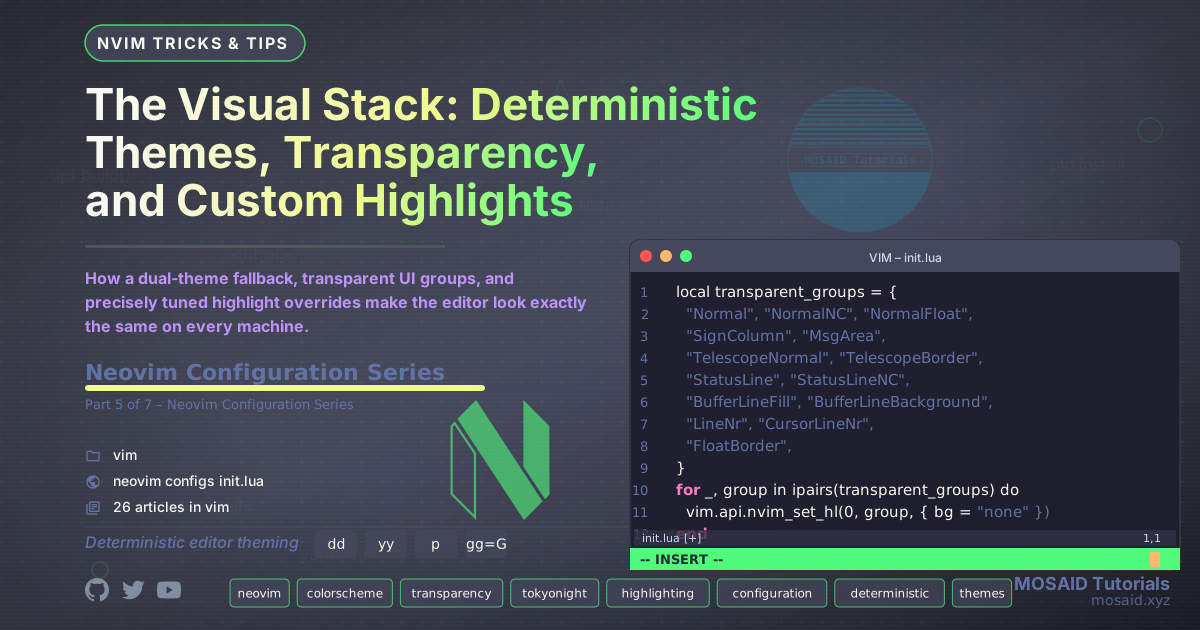
When the Editor Must Look the Same Everywhere
A developer’s editor is a visual environment. Inconsistent colours, jarring flash‑of‑white on startup, or missing highlights break concentration. This configuration treats the visual layer as a deterministic build step: a fallback colourscheme is set immediately, the real theme loads asynchronously, and a series of overrides applies custom highlights that survive theme updates.
This article walks through lua/config/colors.lua – the single module that
governs everything visual. We’ll see how it selects between Nordic and Tokyonight, how it
makes almost every UI element transparent, and how it re‑applies critical highlights after
every ColorScheme event.
The Fallback Strategy
Inside init.lua, right after the basic options, we call
vim.cmd("colorscheme desert"). This is not the final theme – it is a
bullet‑proof fallback. If the later scheduled call to colors.setup() fails
(for example, because the Nordic plugin is missing or broken), the editor still has a
working, readable colourscheme.
The fallback also eliminates the “flash of unstyled text” during startup. By setting
desert synchronously, Neovim never renders a completely unstyled buffer
before the real theme arrives.
The colors.lua Module
The module is structured as a single setup() function that:
- Enables true‑colour support (
vim.o.termguicolors = true). - Sets
background = "dark". - Attempts to load
nordic(the preferred theme). If that fails, it falls back todesertand logs a warning. - Restores number and cursorline settings (some themes override them).
- Applies dozens of custom highlight groups for cursor, statusline, search, folds, spelling, line numbers, bufferline, and more.
The entire file is reproduced below. Note how every highlight uses explicit colours (no reference to theme palette variables). This is deliberate: it ensures the highlights look identical whether Nordic or Tokyonight is active.
-- lua/config/colors.lua
-- Colors and highlights configuration (safe + explicit)
local M = {}

function M.setup()
  -- Ensure true color support
  vim.o.termguicolors = true

  -- Preferred background
  vim.o.background = "dark"

  -- Try to load the tokyonight colorscheme safely
  local ok, err = pcall(vim.cmd, "colorscheme nordic")
  if not ok then
    -- Fallback to desert and warn the user in :messages
    vim.cmd("colorscheme desert")
    vim.notify("Warning: Falling back to 'desert'. Error: " .. tostring(err), vim.log.levels.WARN)
  end

  -- Ensure line numbers and cursorline are enabled (set after colorscheme to avoid overrides)
  vim.wo.number = true
  vim.wo.relativenumber = true
  vim.wo.cursorline = true

  -- Then set custom highlight groups
  -- Cursor line / column
  vim.api.nvim_set_hl(0, "CursorLine", { bg = "#3b4261", bold = true })
  vim.api.nvim_set_hl(0, "CursorColumn", { bg = "#3b4261", blend = 80 })
  vim.api.nvim_set_hl(0, "Cursor", { bg = "#2a2e38", fg = "#ffffff", blend = 70 })
  -- Perfect cursor for Nordic: subtle blue, visible, does not obscure text
  vim.api.nvim_set_hl(0, "Cursor", {
    bg = "#434C5E",  -- softer Nordic blue
    fg = "#ECEFF4",  -- visible over any code
    blend = 60       -- transparency so text stays readable underneath
  })

  -- Status line and visual selection
  vim.api.nvim_set_hl(0, "StatusLine", { bg = "#1f2335", fg = "#c0caf5", bold = true })
  vim.api.nvim_set_hl(0, "Visual", { bg = "#FFD966", fg = "black" })

  -- Fold / Search
  vim.api.nvim_set_hl(0, "Folded", { bg = "none", fg = "#737aa2", italic = true })
  vim.api.nvim_set_hl(0, "Search", { bg = "#ff9e64", fg = "black", bold = true })

  -- Spell checking highlights
  vim.api.nvim_set_hl(0, "SpellBad", { underline = true, sp = "#db4b4b" })
  vim.api.nvim_set_hl(0, "SpellLocal", { underline = true, sp = "#0db9d7" })
  vim.api.nvim_set_hl(0, "SpellRare", { underline = true, sp = "#bb9af7" })
  vim.api.nvim_set_hl(0, "SpellCap", { underline = true, sp = "#e0af68" })

  -- Line number colors
  vim.api.nvim_set_hl(0, "LineNr", { fg = "#FFFF00" })
  vim.api.nvim_set_hl(0, "CursorLineNr", { fg = "#c0caf5", bold = true })

  -- BufferLine colors
  vim.api.nvim_set_hl(0, "BufferLineBufferSelected", { bold = true, fg = "#ffca00" })
  vim.api.nvim_set_hl(0, "BufferLineModifiedSelected", { fg = "#ff9e64" })
end

-- Final transparency patch (works for all themes)
local transparent_groups = {
  "Normal", "NormalNC", "NormalFloat",
  "SignColumn", "MsgArea",
  "TelescopeNormal", "TelescopeBorder",
  "StatusLine", "StatusLineNC",
  "BufferLineFill", "BufferLineBackground",
  "LineNr", "CursorLineNr",
  "FloatBorder",
}

for _, group in ipairs(transparent_groups) do
  vim.api.nvim_set_hl(0, group, { bg = "none" })
end

-- Reapply custom highlight after everything is loaded
vim.api.nvim_create_autocmd({"ColorScheme", "User"}, {
  pattern = {"LazyDone", "VeryLazy"},
  callback = function()
    vim.api.nvim_set_hl(0, "MatchParen", { bg = "#ff33aa", fg = "#000000", bold = true })
    vim.api.nvim_set_hl(0, "MatchParenCur", { bg = "#ff33aa", fg = "#000000", bold = true })
    vim.api.nvim_set_hl(0, "MatchWord",  { bg = "#5555ff", fg = "#000000" })
  end,
})

return M
Transparency as a Design Decision
The bottom half of the file sets bg = "none" on a carefully chosen set of
highlight groups. Groups like Normal, SignColumn,
FloatBorder, and BufferLineBackground become transparent,
letting the terminal background show through. This creates a clean, borderless look
that works with any terminal colour scheme.
Groups that must remain opaque (e.g., CursorLine, Visual,
Search) are explicitly given backgrounds, so readability is never
compromised. The separation is deliberate: structural UI elements become transparent,
content‑focused elements keep their solid backgrounds.
The Autocommand That Fixes Everything
Some plugin managers or theme reloads can reset highlight groups. To combat this, the
file registers an autocommand on ColorScheme and User events
(specifically LazyDone and VeryLazy) that re‑applies a set
of critical highlights:
MatchParenandMatchParenCur– a bright pink background that makes matching brackets unmistakable.MatchWord– a blue background for the word under cursor when using*or#.
By re‑applying these after every theme change, the configuration guarantees that your most important visual cues never disappear.
Why Not Just Use a Theme’s Variables?
Many colour configurations use theme palette variables (e.g., colors.blue)
so that highlight groups automatically adapt to the current theme. This configuration
intentionally avoids that. By using raw hex codes, it decouples the custom highlights
from any particular theme’s palette. Whether you’re running Nordic, Tokyonight, or
fallback Desert, the cursor line is always #3b4261, the search highlight
is always #ff9e64, and matching brackets always explode in pink.
The tradeoff is that you must choose colours that work across multiple themes. The benefit is absolute determinism – the visual experience does not shift when you change or update a theme.
The Full Picture
Together, the fallback colourscheme, the scheduled theme application, the transparent UI groups, and the autocommand re‑application create a visual stack that is:
- Resilient: the editor always starts with a functional theme.
- Consistent: custom highlights never depend on which theme loads.
- Clean: transparency removes visual noise.
- Reproducible: the same hex values produce the same pixels on any machine.
In the next article, we’ll explore the keymaps and commands that wire all these subsystems together into a unified user interface.














Leave a comment