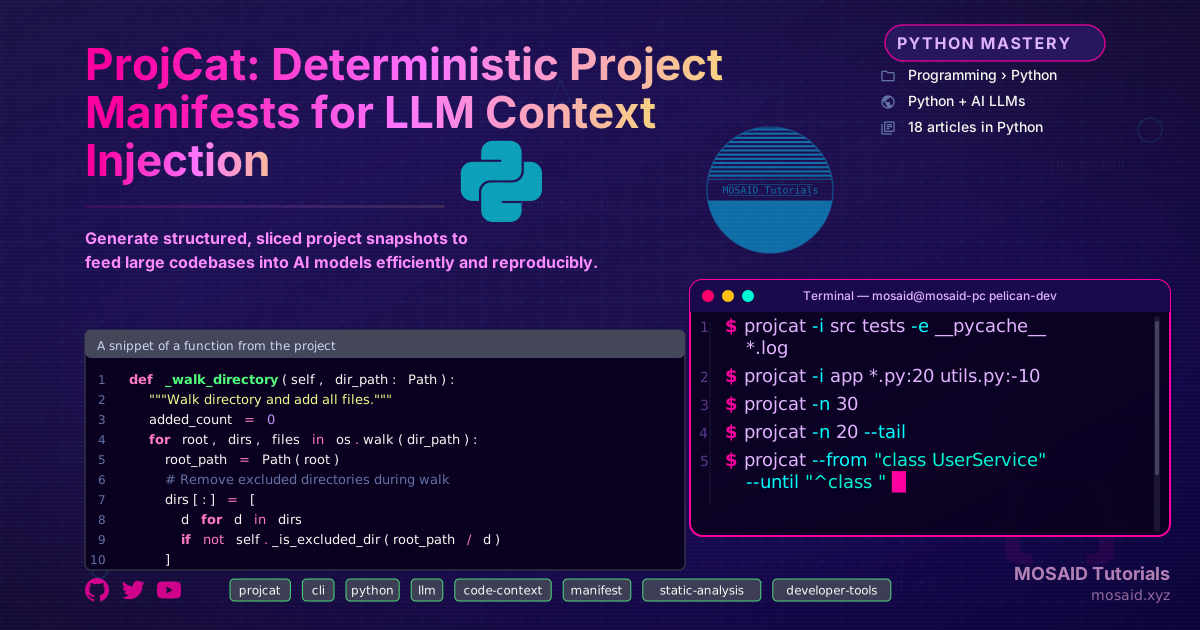
ProjCat: Deterministic Project Manifests for LLM Context Injection
ProjCat: Deterministic Project Manifests for LLM Context Injection
Why Another Tool?
Large language models are transforming how we write and maintain code, but they have a fundamental limitation: the context window. Dumping an entire repository into a prompt is rarely feasible, and ad‑hoc copy‑pasting leads to incomplete context, wasted tokens, and non‑reproducible results. We needed a tool that could produce exactly the right slice of a project—structured, repeatable, and easy to pipe into any LLM. ProjCat was built to fill that gap.
What ProjCat Is
ProjCat is a single Python command‑line utility that generates a project manifest: a single text file containing a directory tree diagram and the contents of selected files, with powerful slicing controls. It is designed for developers who work with LLMs, AI agents, and automation pipelines that require concise, deterministic snapshots of a codebase.
Key capabilities:
•Deterministic tree generation — every run with the same arguments produces exactly the same output, modulo file modifications.
•Glob‑based include/exclude — you control what goes into the manifest, with sensible default exclusions for virtualenvs, node_modules, `.git`, and binary artifacts.
•Content slicing — include only the relevant parts of a file, either by pattern (`--from`, `--until`) or by line count (first/last N lines, with per‑file overrides).
•LLM‑friendly output format — a single plain‑text file with clear section headers, metadata, and no encoding surprises.
•Verbose diagnostics and tree‑only mode — useful for manual inspection before feeding a huge manifest to an AI.
Architecture Overview
ProjCat’s architecture is intentionally simple, favouring composability over monolithic design. The pipeline looks like this:
User → CLI (cli.py)
       │
       ├─ Collector (collector.py)
       │     └─ walks filesystem, applies includes/excludes
       ├─ TreeGenerator (tree.py)
       │     └─ builds ASCII tree with include/exclude/collapse filters
       ├─ ContentSlicer (slicer.py)
       │     └─ pattern‑ and line‑based slicing
       └─ ManifestWriter (manifest.py)
             └─ assembles the final manifest file
All modules are decoupled. The Collector returns a flat list of Path objects; the TreeGenerator and ContentSlicer operate on that list independently. This design makes it easy to extend or replace any component.
Installation & First Run
ProjCat is a single Python package. just download it from this link then extract it in a safe directory, you can run it directly
python ~/Documents/gits/projcat/main.py
The simplest invocation includes every file in the current directory (minus default excludes):
projcat
This creates ~/project_dirname_manifest.txt. To see what was collected without generating a manifest, use --list:
projcat --list
Controlling What Goes In
Fine‑grained control is where ProjCat shines. You include files and directories with -i and exclude with -e:
projcat -i src tests -e __pycache__ *.log
Glob patterns work intuitively, and you can even mix directory‑level includes with per‑file globs:
projcat -i app *.py:20 utils.py:-10
Here *.py:20 limits every matched Python file to its first 20 lines, while utils.py:-10 takes the last 10 lines of utils.py. The colon‑appended number is a per‑file line limit (negative = last N lines).
If you need the same limit globally, use -n:
projcat -n 30            # first 30 lines of every file
projcat -n 20 --tail      # last 20 lines of every file
Content Slicing: Patterns and Line Limits
Line‑based slicing is straightforward, but often you want to extract a logical block—like a class or a function. ProjCat supports --from and --until pattern matching:
projcat --from "class UserService" --until "^class "
This includes everything from the first occurrence of class UserService up to (and including) the next line that starts with class . When both patterns are the same string, ProjCat extracts the content between the first two occurrences—useful for grabbing the implementation between two import blocks.
You can protect sensitive or large files from slicing with --no-slice:
projcat --from "def " --no-slice README.md CHANGELOG.md
This ensures those files are included in full, while every other text file gets sliced at the first def .
Core Implementation: A Glimpse Inside
The collector is the heart of the system. Here is a simplified excerpt showing how it walks directories and applies exclusions:
def _walk_directory(self, dir_path: Path):
    """Walk directory and add all files."""
    added_count = 0
    for root, dirs, files in os.walk(dir_path):
        root_path = Path(root)
        # Remove excluded directories during walk
        dirs[:] = [
            d for d in dirs
            if not self._is_excluded_dir(root_path / d)
        ]
        for file in files:
            file_path = root_path / file
            rel_path = self._get_relative_path(file_path)
            if rel_path not in self.all_files:
                self.all_files.add(rel_path)
                added_count += 1
The _is_excluded_dir check prunes the walk early, avoiding expensive recursion into ignored folders. Binary files are detected via UnicodeDecodeError when reading, and marked as [BINARY FILE] in the manifest.
The Manifest Structure
A generated manifest always begins with a header containing metadata (project name, timestamp, root path, active slicing options). Next comes the directory tree, marking each included file with a ✓. Finally, each included file’s content is written inside a distinct bordered block, with optional slicing annotations.
Example output snippet:
================================================================================
PROJECT MANIFEST
Generated: 2026-05-15 20:49:47
Project: projcat
Root: /home/user/projcat
Tree depth: unlimited
================================================================================

DIRECTORY STRUCTURE (✓ = included in manifest)
--------------------------------------------------------------------------------

├── ✓ __init__.py
├── ✓ cli.py
├── ✓ collector.py
├── ✓ main.py
├── ✓ manifest.py
├── ✓ slicer.py
├── ✓ tree.py
└── ✓ utils.py

================================================================================

FILE CONTENTS (only included files shown below)
================================================================================

╔══════════════════════════════════════════════════════════════════════════════╗
║ FILE: slicer.py                                                              ║
║ Size:    7,041 bytes | Modified: 2026-02-23 23:11:20                         ║
║ Slicing: first 10 lines                                                      ║
╚══════════════════════════════════════════════════════════════════════════════╝

... (sliced content)
Integration into LLM Workflows
The manifest is meant to be consumed directly by an LLM. In practice, I often run:
projcat -i src --from "def " --no-slice conftest.py -o /tmp/ctx.txt
cat /tmp/ctx.txt | llm --system "You are a senior Python developer."
This gives the model a focused view of the codebase, with test‑configuration kept intact and only function‑level slices of the application logic. Because the manifest is a plain text file, it integrates with any CLI‑based LLM tool or script.
For AI agents that iterate on code, ProjCat’s determinism guarantees that the same set of flags always produces the same slice, making it possible to version‑control the manifest generation command alongside the code.
Performance Considerations
ProjCat is designed for projects with up to a few thousand files. It walks the entire directory tree once and keeps relative paths in memory. On a modern SSD, generating a manifest for a 2,000‑file project takes under a second. The biggest bottleneck is reading and writing file contents, which is why slicing (especially early termination with --from) can dramatically reduce manifest size and runtime.
For very large monorepos, consider combining --tree-only with selective includes to first inspect the structure, then rerun with focused slicing.
Tradeoffs & Design Decisions
•Plain text over JSON: JSON would be machine‑readable but adds noise for an LLM. The current format is already easy to parse while being human‑ and LLM‑friendly.
•Line‑based slicing vs. AST: We deliberately avoided AST‑based slicing. Pattern matching is simpler, language‑agnostic, and fast. It won’t always capture exactly one function (e.g., nested classes), but it handles 90% of real‑world use cases.
•No streaming: The whole manifest is built in memory. This is acceptable because a manifest rarely exceeds a few megabytes—otherwise the LLM context would be overwhelmed anyway.
Future Directions
ProjCat is intentionally minimal, but several enhancements are on the radar:
- Incremental manifests — only re‑generate sections for files that changed since the last run.
- Streaming output — pipe the manifest directly to stdout for immediate LLM consumption.
- Plug‑in slicing modules — allow language‑specific slicers (e.g., extract only function bodies) behind a common interface.
Final Thoughts
ProjCat embodies a philosophy of deterministic tooling for AI‑assisted development. By treating the prompt‑building step as an engineering problem—versionable, repeatable, and composable—we remove the guesswork from feeding code to LLMs. It’s a small piece of the puzzle, but one that makes daily AI‑augmented coding significantly more effective.
Recent Articles







Most Viewed Articles





The Ultimate Vim Setup (My 2024 vimrc ) : Essential Commands, Configurations, and Plugin Tips
Views: 1.45K
12 Apr 2024


Complete Tutorial: Creating Categories and Subcategories Using Pages in Pelican
Views: 1.11K
24 Jun 2025
Leave a comment